
Geode Geometry Dash setups are usually explained with Windows in mind, which leaves Mac and Linux players piecing together advice from old forum threads. The good news is that both platforms can run Geode. macOS has its own official installer, and Linux players run the Windows build of Geometry Dash through Wine or Proton and add Geode on top, with one extra step that many guides forget.
This guide covers both paths from start to finish. We are an unofficial guide, so whenever a step depends on the current release, we point you to the official Geode install page and the official Geode FAQ.
Version Note for Mac and Linux
We checked the official sources on November 5, 2026:
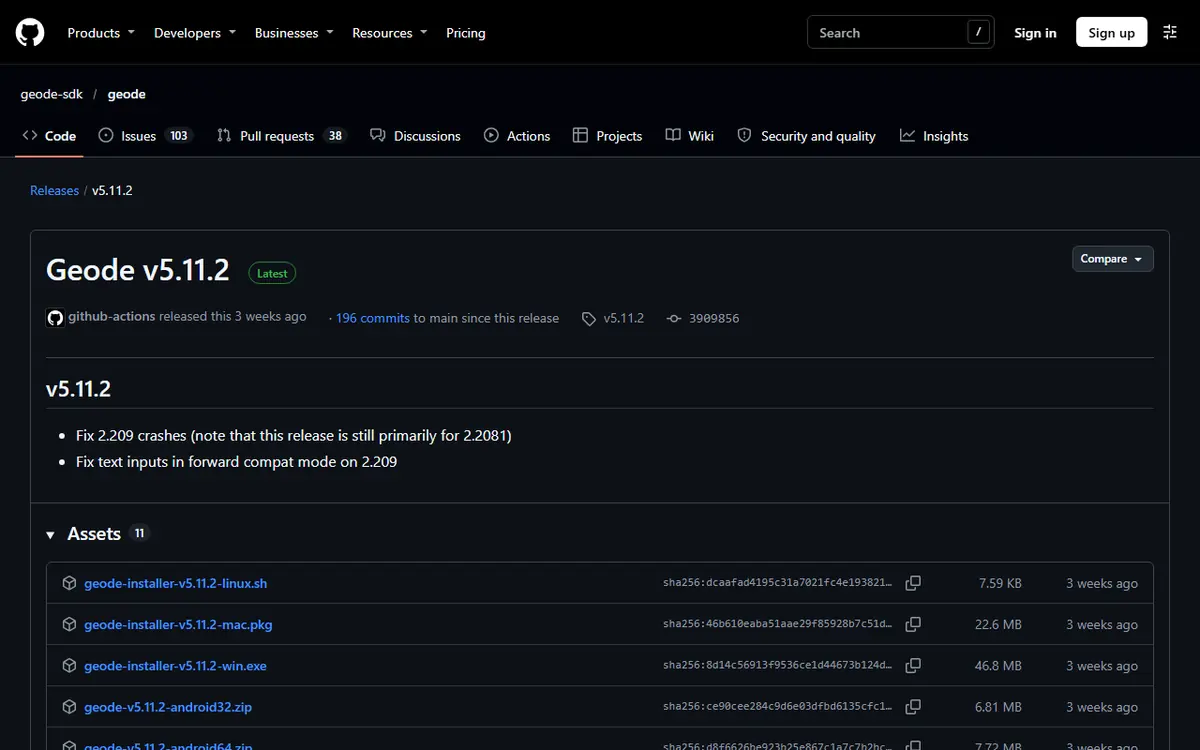
- Geode v5.11.2 (October 15, 2026) is the latest stable release and only works on GD 2.2081. The install page offers it as a macOS (Steam)
.pkg. - GD 2.2091 support exists only in v6.0.0-alpha.1 (November 1, 2026), which its release notes describe as an alpha "meant for developers."
- For Linux, the install page says Geode is available "through Wine." Recent releases also list a Linux installer script (
.sh) among their assets; the install page still describes Wine as the Linux route.

Mac and Linux at a Glance
| Topic | macOS | Linux |
|---|---|---|
| Game build used | Native Mac version from Steam | Windows version run through Wine or Proton |
| Geode installer | macOS .pkg from the install page | Windows installer, run inside Wine |
| Extra step | Approve the macOS security prompt | DLL override in launch options |
| Safe Mode | Hold Shift while launching | Same as Windows build |
| Main risk | Selecting a copy Steam does not launch | Missing override or wrong prefix |
Before either path, check the basics: the full version of Geometry Dash (Lite is not supported), a legitimate Steam copy, a synced save, and the installer from the official install page, never a mirror or a cracked bundle. Avoid the source-code zip from GitHub; it is for developers and installs nothing.
How to Install Geode on macOS
The Geode Geometry Dash Mac process mirrors Windows. The installer tries to find the game on its own and asks you to choose it if it cannot.
- Run the game once. Install Geometry Dash through Steam, launch it so it creates its files, then quit it fully.
- Download the macOS installer (
.pkg) from the official install page. - Open the installer. If macOS warns that it was downloaded from the internet, continue only if it came from the official source.
- Confirm the game location, or choose it manually as described below.
- Launch and check. Start the game from Steam and look for the Geode button in the bottom row of the main menu.
Selecting the Game Manually
On a Mac the game is packaged as an application bundle rather than a plain folder, which confuses many players. In Steam, right-click Geometry Dash, choose Manage, then Browse local files. Finder opens the folder holding the Geometry Dash app. Point the installer at that app. Avoid a copy you dragged to Applications or the desktop; Geode must go into the copy Steam actually launches.
macOS Security Prompts
macOS is cautious about apps from outside the App Store, so a prompt on first launch is normal. It is also a good moment to double-check the source. If the file came from a video description or a "Geode mirror," delete it. Geode never asks for your Geometry Dash password or Apple ID.
Apple Silicon Notes
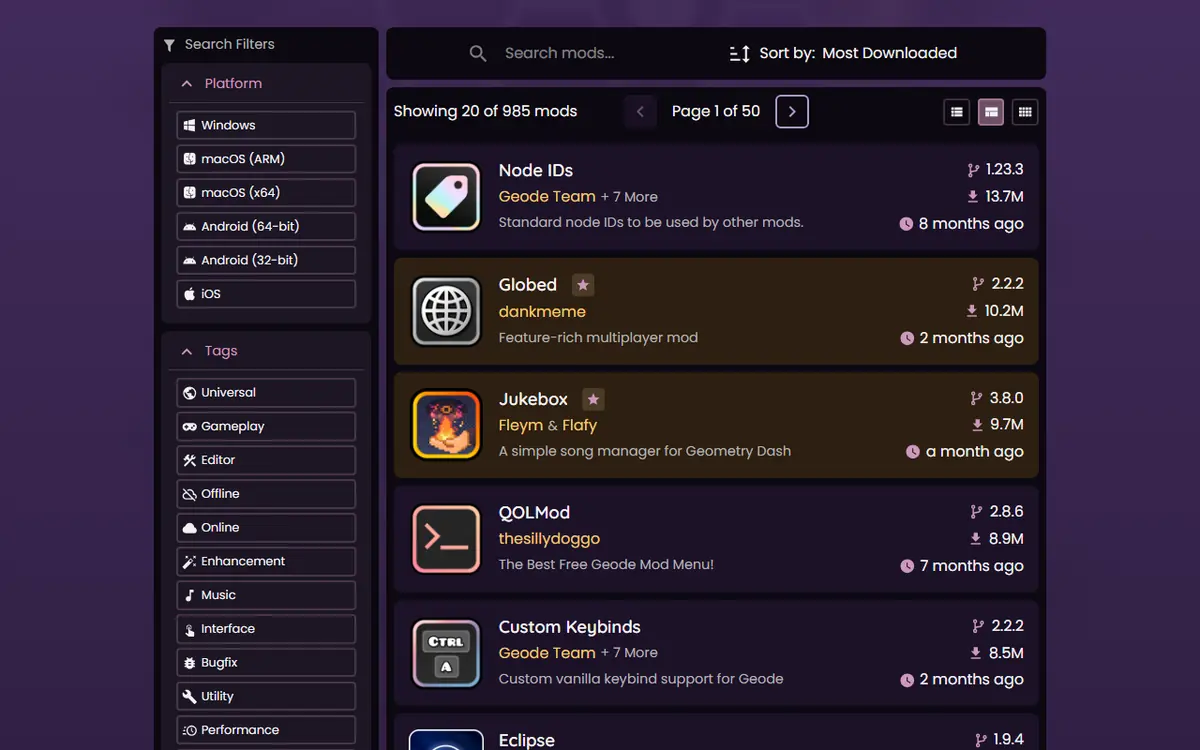
The official mods index lists macOS ARM and macOS x64 as separate platforms, so a mod can support one Mac type and not the other. Mods also do not always reach every platform at the same time. If a mod you saw in a Windows video is missing on your Mac, check its index page for platform support.
Practical Tips for Mac Players
- Keep macOS and Steam updated; outdated system components can cause odd launch behavior.
- Check the official install page for the current Mac installer before reinstalling after a game update.
- Install mods a few at a time so you can tell which one causes a problem.
- Avoid "universal" mod packs from unofficial sources that promise to fix compatibility. They often bundle outdated files.
Running Geode on Linux With Wine or Proton
The official FAQ is direct: Geometry Dash does not run natively on Linux, so you run the Windows installer with Wine, where your root filesystem appears as the Z: drive. Steam's Proton is the most convenient way to run the Windows game for most players.
Step 1: Run the Windows Build
- In Steam, open Geometry Dash's Properties and, under Compatibility, force a Steam Play compatibility tool (a recent stable Proton is a sensible default).
- Let Steam download the Windows version and launch it once without mods to confirm it runs.
- Close the game fully.
Step 2: Install Geode Into the Same Game Folder
Download the Windows installer from the official install page and run it with Wine. When it asks for the game, browse through the Z: drive to the folder Steam opens under Manage > Browse local files. Selecting a folder that only looks similar is the most common Linux mistake.
Step 3: Add the DLL Override
This is the step that makes Geode actually load. The official FAQ says Geode on Linux "requires one extra step to function correctly." For Steam, add this to Geometry Dash's launch options:
WINEDLLOVERRIDES="xinput1_4=n,b" %command%
Other launchers need their own way to set the same override.

Using Plain Wine Instead of Proton
Players who prefer a standalone Wine setup or a non-Steam launcher can follow the same idea: install the Windows game in a Wine prefix, run the Geode Windows installer inside that same prefix, point it at the game folder, and set the xinput1_4=n,b override for that prefix. This route gives you more control but also more room for mistakes, so it suits people who already manage Wine prefixes comfortably.

Step 4: Launch and Confirm
Start the game from Steam. If the Geode button appears, everything is in place. Steam Deck owners can follow our dedicated Steam Deck and Linux Proton guide, which covers Game Mode and Desktop Mode in detail.
Where Geode Keeps Its Files
After installation, Geode creates a geode folder inside the game folder. On Linux it sits inside the Windows game folder in your Steam library; on a Mac, reach it through Steam's Browse local files option.
geode/modsholds installed.geodemod packages.geode/crashlogsholds crash reports that often name the mod involved.
These folders never hold your save data, so you can remove a broken mod by hand without touching progress. Once Geode runs, add mods from the in-game browser a few at a time; Node IDs and other dependencies install automatically. Our Windows PC install guide explains the first-mods workflow, which is identical on these platforms.
Installing Your First Mods Safely
With Geode running, open the Geode button and browse the Download tab. A few habits make the experience smoother on Mac and Linux alike:
- Start with one or two well-known mods, such as an information mod or a quality-of-life toolbox, before building a large list.
- Restart the game after installing a batch, and check that everything loads before adding more.
- Use the Geode menu to disable a mod you are unsure about, rather than deleting files by hand.
- Read each mod's platform list; Linux players should check Windows support, since they run the Windows build.
For a curated shortlist with download counts from the official index, see our best Geode mods guide.
Common Mac and Linux Problems
The Geode Button Does Not Appear
On a Mac, check that you installed into the copy Steam launches. On Linux, confirm Geode went into the folder opened by Browse local files and that the DLL override is set on Geometry Dash's launch options.
The Game Crashes After a Mod or an Update
Use Safe Mode: the official FAQ says to hold Shift before launching and keep holding until loading finishes. Then disable the newest mod. After a game update such as 2.2091, Geode may run in forward compatibility mode with features disabled; disable outdated mods and wait for a stable release rather than reinstalling. More in our Geode not working guide.

A Mod Is Missing on My Mac
The in-game browser only offers mods that support your platform. Open the mod's page in the official index and check whether it lists macOS ARM or macOS x64. If your Mac type is not listed, the mod is not available for it yet, and no unofficial "port" is worth the risk.
The Game Will Not Start Under Proton
Remove the launch option and Geode files temporarily and confirm the plain Windows game runs. If it does not, the problem is Proton or your graphics drivers, not Geode. Try a different stable Proton version, then reinstall Geode and add the override back.
The Installer Cannot Find the Game
Use manual selection. On Linux, make sure you pick the Windows game folder in your Steam library through the Z: drive, not a lookalike folder inside the Proton prefix.
Safety, Fair Play and Uninstalling
Download only from geode-sdk.org or the official Geode GitHub organization, and skip "universal" mod packs from unofficial sources. Keep cheat-style features such as noclip for practice; using them on rated or leaderboard runs can get you leaderboard-banned.
To remove Geode, use the official installer's uninstall option. Steam users can then run Verify integrity of game files to restore original files. On Linux, also remove the DLL override from launch options. Back up your save first; it normally survives, but a backup costs nothing.
Frequently Asked Questions
Does Geode officially support macOS?
Yes. The official install page offers a macOS (Steam) installer as a .pkg file, v5.11.2 at the time of writing, and the mods index lists macOS ARM and macOS x64 as separate platforms.
Can I use Geode Geometry Dash on Linux?
Yes, through Wine with the Windows build of the game. The official FAQ says Linux needs one extra step: a DLL override such as WINEDLLOVERRIDES="xinput1_4=n,b" %command% in Steam launch options.
Why does Geode not load on Linux even though it installed?
Usually the DLL override is missing or set on the wrong game. Add the launch option from the official FAQ to Geometry Dash in Steam, then restart the game.
How do I start Geometry Dash in Safe Mode on a Mac?
According to the official FAQ, hold the Shift key before launching Geometry Dash and keep holding it until loading finishes. Safe Mode loads no mods.
Will Geode work with Geometry Dash Lite on my Mac?
No. Geode targets the full version of Geometry Dash only. The free Lite edition is not supported on any platform.
Will installing Geode delete my save data?
It should not. Save data is stored separately from the mods folder. Still, sync to your Geometry Dash account and keep a backup before any major change.
