Geode Geometry Dash problems tend to appear at the worst moment: right after a game update, right after you install a new mod, or just before a long practice session. The game refuses to open, the Geode button disappears from the main menu, or everything loads but your mods quietly stop working.
Almost every issue falls into a few patterns, and each one has a reliable fix. Work through this guide in order, from the most common cause to the last-resort clean reinstall, and resist the urge to reinstall first. Reinstalling usually wastes time and hides the real cause.
Current Status: GD 2.2091 Broke Geode
Before you troubleshoot anything else, check the version situation, because it explains most reports right now. On November 5, 2026 we checked the official sources:
- The official Geode install page says Geode is broken after the Geometry Dash 2.2091 update and the team is working on a fix. It advises: if Geode is crashing for you, uninstall it until compatibility is announced.
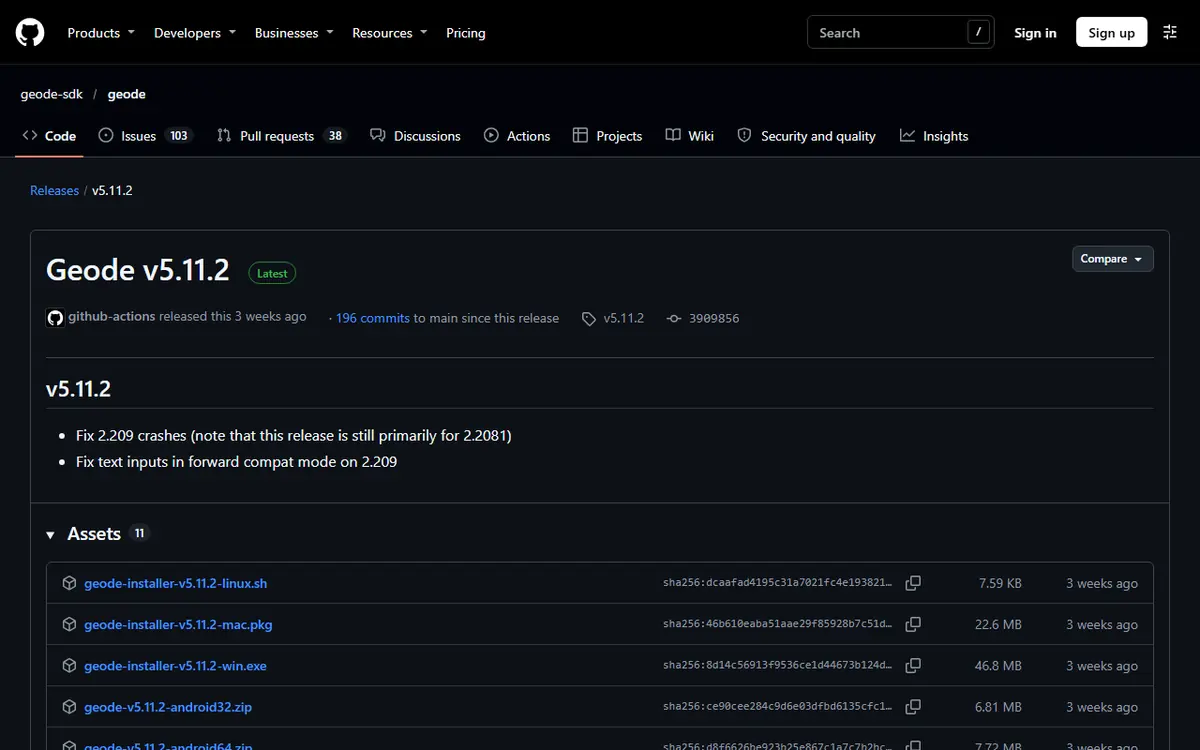
- The latest stable release, Geode v5.11.2 (October 15, 2026), only works on GD 2.2081. Its notes say it fixes some 2.209 crashes but is "still primarily for 2.2081".
- Geode v6.0.0-alpha.1 (November 1, 2026) brings 2.2091 support, but the release itself says it is an alpha "meant for developers, and things will break".
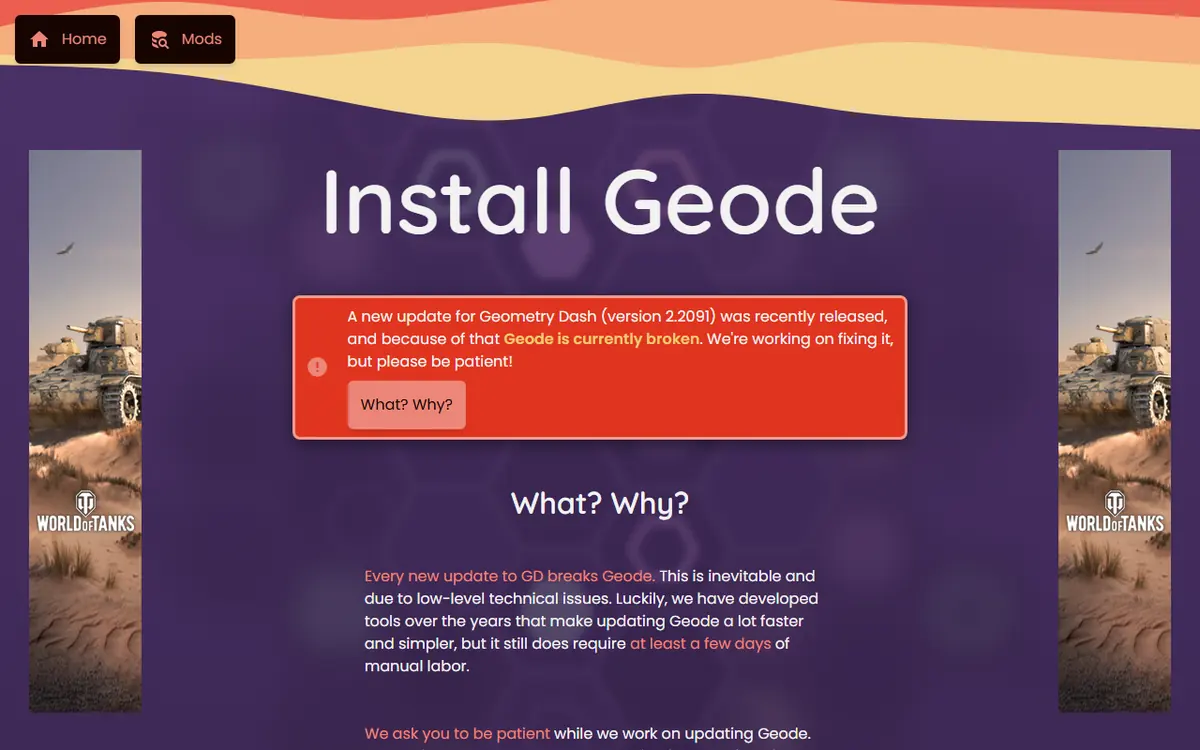
If your problems started the day your game updated to 2.2091, the cause is the version gap, not your setup. Our Geode update cycle and rollback plan explains what to do while you wait.
Identify What Kind of Problem You Have
Troubleshooting is much faster when you know which category your problem belongs to. Note exactly what happens and when it started, then use this table.
| What you see | Most likely cause | Section to read |
|---|---|---|
| Everything broke right after a Geometry Dash update | Geode not yet updated for the new game version | Broken after a game update |
| Game opens, but there is no Geode button | Geode not loading, wrong folder or antivirus | The Geode button is missing |
| Game crashes instantly on launch | An outdated or incompatible mod | Startup crashes and Safe Mode |
| Crashes at random moments in a level or menu | A specific mod or a mod conflict | Reading crash logs |
| Nothing else has worked | Damaged or mixed installation files | Clean reinstall |
Also ask what changed most recently. Did the game update? Did you install, update or enable a mod? Did you move the game folder? The most recent change is usually the culprit.
Geode Broken After a Game Update
This is the most common reason a Geode Geometry Dash setup stops working. Geode hooks into the game's code, so when Geometry Dash changes, Geode and its mods must be rebuilt. The official FAQ says updates break Geode for technical reasons unless RobTop officially supports modding.
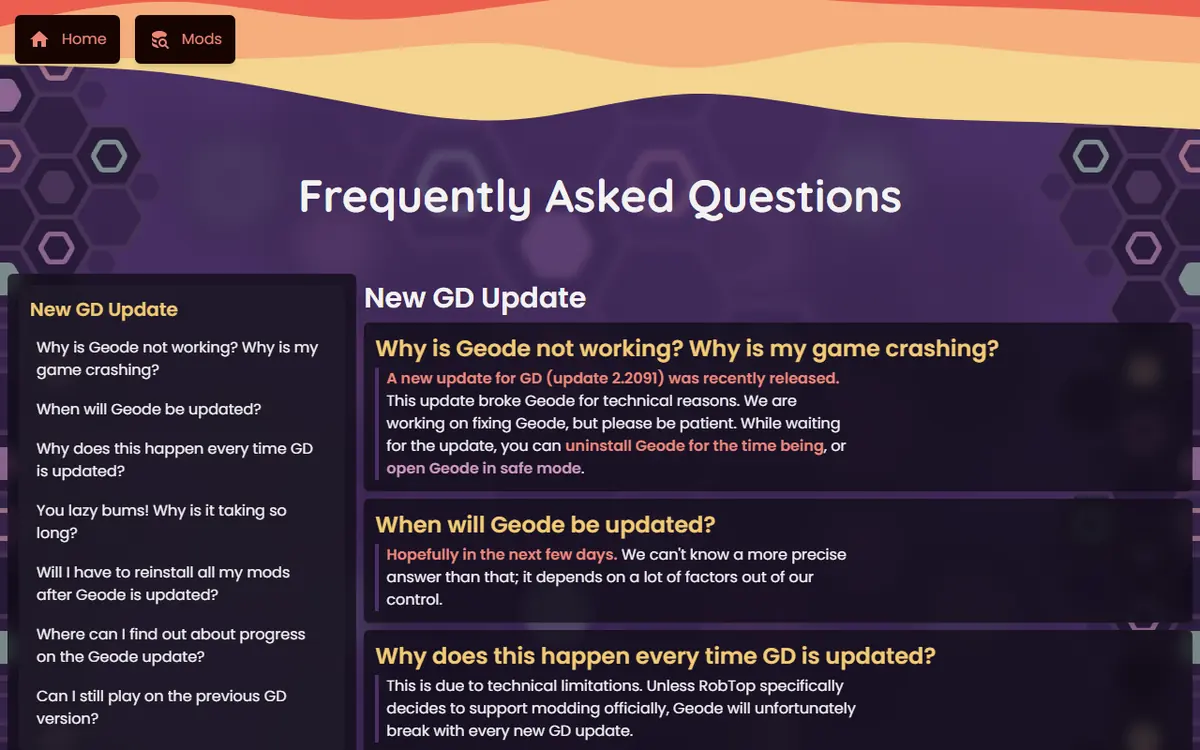
It is not new. Geode needed time to catch up after 2.206, 2.207, 2.2081 and now 2.2091. Update 2.206 was especially disruptive on PC because it made the game 64-bit and every mod had to be rebuilt.
Understanding Forward Compatibility Mode
When the game is newer than the version your Geode release targets, Geode can run in forward compatibility mode. It logs a warning and runs with some features disabled. If the game crashes in this state, the cause is usually an outdated mod touching code that has moved. Disabling those mods is the fastest way back to a playable game.
What to Do After an Update
- Do not reinstall over and over. Reinstalling cannot create compatibility that does not exist yet.
- Use Safe Mode or uninstall temporarily. That is the official advice while Geode is broken.
- Keep your mods. The FAQ says you will not need to reinstall them; they stay unavailable until their developers update them, and you get an in-game notice when they do.
- Avoid unofficial "fixed" builds. Re-uploads are a common way to spread malware.
- Back up first. Save to your Geometry Dash account before experimenting with alpha releases. Our save backup and transfer guide covers both cloud and local copies.
Startup Crashes and Safe Mode
If the game crashes before you reach the main menu, a mod is the most likely cause, especially after a game or Geode update. Geode loads mods during startup, so one broken mod can take the whole game down. Common reasons include a mod built for an older game or Geode version, a missing dependency such as Node IDs, two mods changing the same part of the game, or a damaged file from an unofficial source.
Start Without Mods Using Safe Mode
Safe Mode starts Geode without loading any mods, which tells you whether Geode itself works. The official FAQ gives these steps:
- Windows and macOS: hold Shift before you launch Geometry Dash and keep holding it until loading finishes.
- Android: press and hold the Launch button in the Geode launcher app.

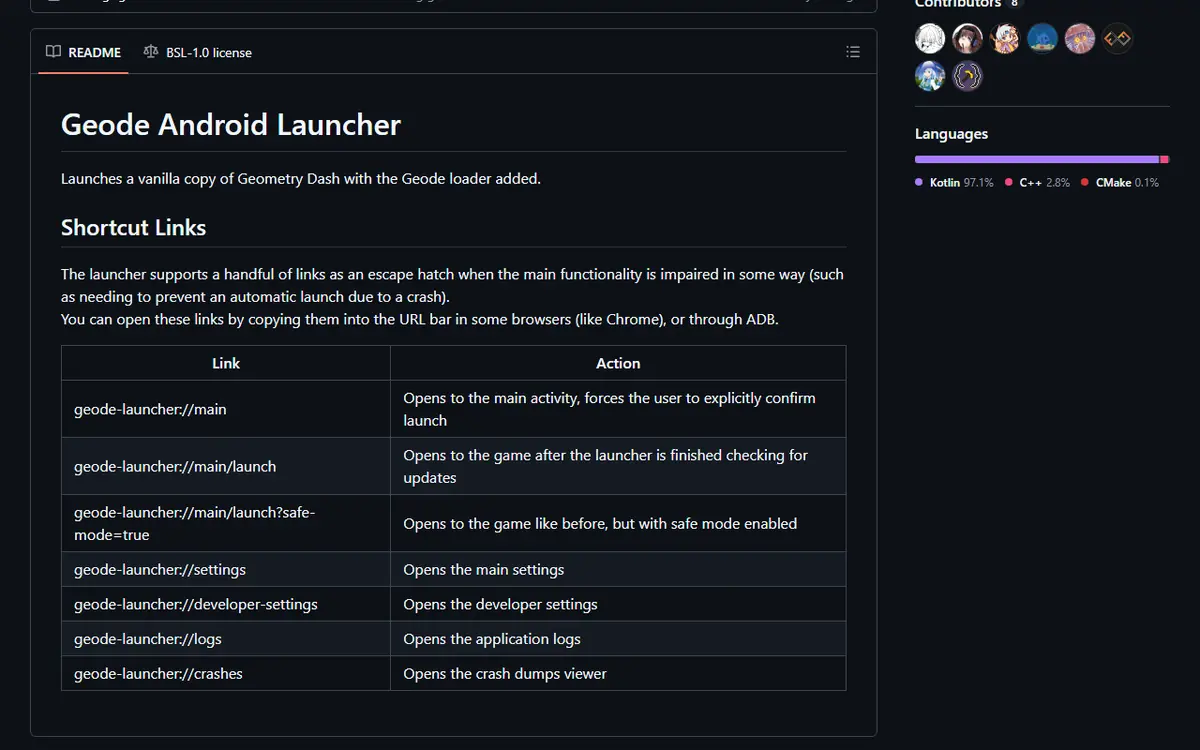
On Android, the launcher also supports an escape-hatch link documented in its README: opening geode-launcher://main/launch?safe-mode=true in Chrome's address bar launches the game with Safe Mode enabled, and geode-launcher://main stops an automatic launch so you can confirm it yourself. Geode v6.0.0-alpha.1 also lists "restart in safe mode for iOS and Android" in its changelog.
Removing a Mod Without Opening the Game
On desktop you can also remove mods by hand. Open the game folder (Steam: right-click Geometry Dash, Manage, Browse local files), go into geode\mods, and move the suspected .geode file to a folder outside the game directory. Moving is better than deleting, because you can put it back after an update. To uninstall a mod normally, open it from the Geode mods list with View and choose uninstall.
Reading Crash Logs
When the game crashes with Geode installed, Geode writes a report into geode\crashlogs inside the game folder. On Android, the launcher's geode-launcher://crashes link opens its crash dump viewer. Sort the files by date and open the newest one in a text editor. Look for:
- Mod names or IDs near the area describing where the crash happened. That mod is your prime suspect.
- Version information. A game and Geode version mismatch points back to the update problem.
- The list of loaded mods, to compare with what you expected to be running.
- Compatibility warnings, which suggest outdated mods.
If you ask the community or a mod developer for help, share the full file and say what you did before the crash. Never share your Geometry Dash password. Geode does not need it, and no genuine helper will ask.
The Half-and-Half Method
With many mods and no clear suspect, disable half of them and test. If the crash stops, the problem is in the disabled half; if not, it is in the active half. Repeat with the guilty group until one mod remains.
| Approach | When to use it | Advantage |
|---|---|---|
| Disable in the Geode menu | The game reaches the main menu | Quick, reversible, keeps settings |
| Safe Mode | The game crashes before the menu | Confirms whether Geode itself works |
| Move .geode files out | Desktop, other methods unavailable | Works without opening the game |
| Half-and-half testing | Many mods, unknown culprit | Finds the problem in a few restarts |
The Geode Button Is Missing
After a working install, a Geode button appears in the bottom row of the main menu. If the game starts normally but the button is missing, Geode is not loading.
Antivirus Quarantine on Windows
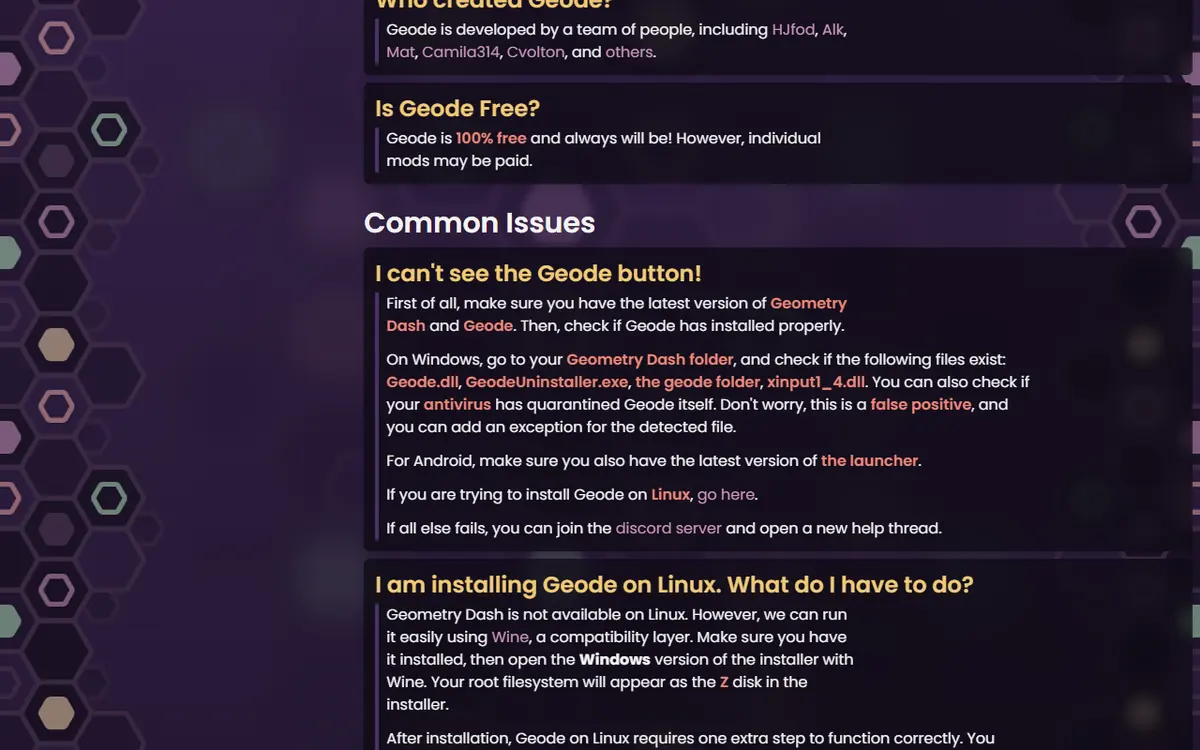
The official FAQ says a missing button on Windows can mean your antivirus quarantined a Geode file. It calls this a false positive and suggests adding an exception. Only do that for an installer you downloaded from geode-sdk.org.
Wrong Folder or Unsupported Version
If the installer picked a copy of the game Steam does not launch, Geode sits in a folder that never runs. Use Browse local files to confirm there is a geode folder where Steam launches the game; if not, run the installer again and pick that folder. Geometry Dash Lite is not supported, so the button never appears there.
Platform Notes
- Android: Geode runs through the launcher, which loads your Play Store copy of the full game. Opening Geometry Dash from its own icon skips Geode. Keep the launcher up to date, as the FAQ recommends.
- iOS: open the game through the official Geode iOS launcher. iOS support is labelled experimental, and mods without JIT get partial support.
- Linux: the FAQ says Geode on Linux needs one extra step: set a Wine DLL override. On Steam, add
WINEDLLOVERRIDES="xinput1_4=n,b" %command%to the launch options.
Doing a Clean Reinstall
A clean reinstall should be your last step. It helps when files are damaged, mixed between versions or left over from older loaders. It will not fix a game version Geode does not support yet.
- Save your progress to your Geometry Dash account and copy your save files somewhere safe.
- Close the game completely.
- Run the official installer and use its uninstall option.
- Remove any leftover
geodefolder from the game folder if you want a truly fresh start. - In Steam, run Verify integrity of game files to restore the original game files.
- Launch once without Geode to confirm the game runs.
- Download a fresh installer from the official install page and reinstall.
- Add mods back gradually, testing after each small batch.
On Android and iOS, a clean reinstall means reinstalling the official launcher, not modifying the game. For step-by-step uninstall paths on every platform, see how to update, manage and uninstall Geode.
Safety While Troubleshooting
Frustration makes people take shortcuts, and that is exactly what fake "fixed Geode" uploads rely on. Download Geode only from geode-sdk.org or the official geode-sdk GitHub organization, and mods only through the in-game browser or the official mods index. Never disable your antivirus for a file from an unknown site, and never enter your account password into a tool that claims to repair Geode. If you are unsure whether a source is genuine, read is Geode Geometry Dash safe before downloading anything.
Frequently Asked Questions
Why did Geode Geometry Dash stop working after the game updated?
Geode hooks into the game's code, so a Geometry Dash update breaks compatibility until the Geode team ships a matching release. On November 5, 2026 the official install page says Geode is broken on GD 2.2091 and that the latest stable, v5.11.2, only works on 2.2081.
Should I install Geode v6.0.0-alpha.1 to fix 2.2091?
It adds 2.2091 support, but the Geode team describes it as an alpha meant for developers where things will break. Most players should wait for a stable release and for their mods to be updated. If you try it anyway, back up your save first.
How do I start Geode in Safe Mode?
Safe Mode loads no mods. On Windows and Mac, hold Shift before launching Geometry Dash and keep holding it until loading finishes. On Android, press and hold the Launch button in the Geode launcher app.
Why is the Geode button missing on Windows?
Usually Geode was installed into a different game folder, or your antivirus quarantined a Geode file. The official FAQ calls this a false positive and suggests adding an exception, then reinstalling into the folder Steam actually launches.
Will a clean reinstall delete my progress?
It should not, because save data is stored separately from the geode folder. Still, save your progress to your Geometry Dash account and keep a local copy of your save files before removing anything.
Is a fixed Geode build from a video or forum safe?
No. Download Geode only from geode-sdk.org or the official geode-sdk GitHub organization. Re-uploaded or so-called patched builds can contain malware and do not fix compatibility any faster.
