Geode Geometry Dash on iPhone and iPad used to feel out of reach, but the official Geode iOS launcher has made modding on Apple devices a realistic option. Because Apple does not allow this kind of app on the App Store, setup involves a few extra ideas: sideloading, signing, TrollStore and JIT. This guide explains each one in plain language so you can choose the right path and avoid the usual mistakes.
Geode is a fan-made, open-source mod loader and modding SDK for Geometry Dash. This site is an unofficial guide with no connection to the Geode team. The official iOS INSTALL.md is the authority on methods, and the official install page itself labels iOS support as experimental.
Version Note: iOS Status in November 2026
- The latest iOS launcher release is v1.5.5 (September 15, 2026), with both a
.ipaand a.tipafile. - The latest stable Geode loader is v5.11.2 (October 15, 2026), which works on GD 2.2081.
- GD 2.2091 support exists only in v6.0.0-alpha.1 (November 1, 2026), an alpha the Geode team says is meant for developers. Its changelog also adds restart in Safe Mode for iOS and Android.
We checked these against official sources on November 5, 2026. If your App Store game has updated to 2.2091, plan to wait for a stable Geode release.
How the Geode iOS Launcher Works
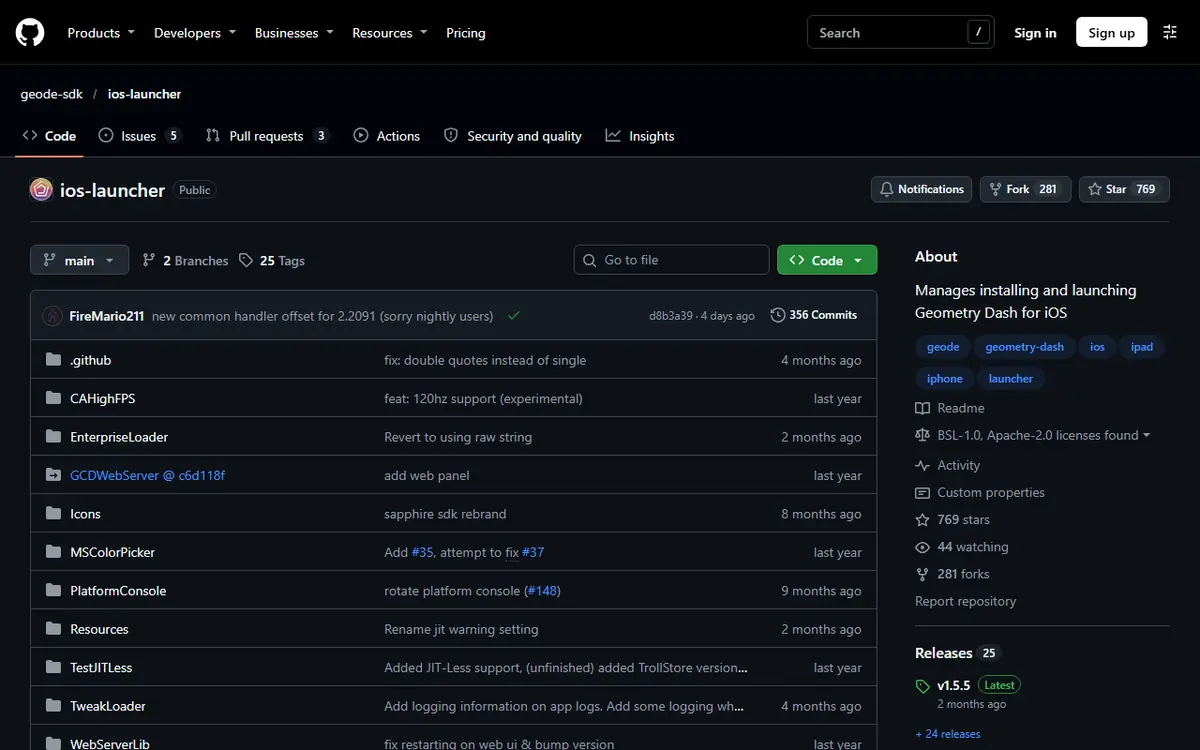
On iOS, Geode runs through a dedicated launcher app rather than by patching the game. The launcher starts Geometry Dash with Geode loaded, and your regular App Store copy stays where it is for unmodded play. Removing Geode later is mostly a matter of deleting the launcher.
The tricky part is not the launcher itself but getting it onto your device. Apple only lets apps from outside the App Store run when they are installed through specific methods, and each method has trade-offs in cost, refreshing and mod support.
Requirements for Geode on iPhone and iPad
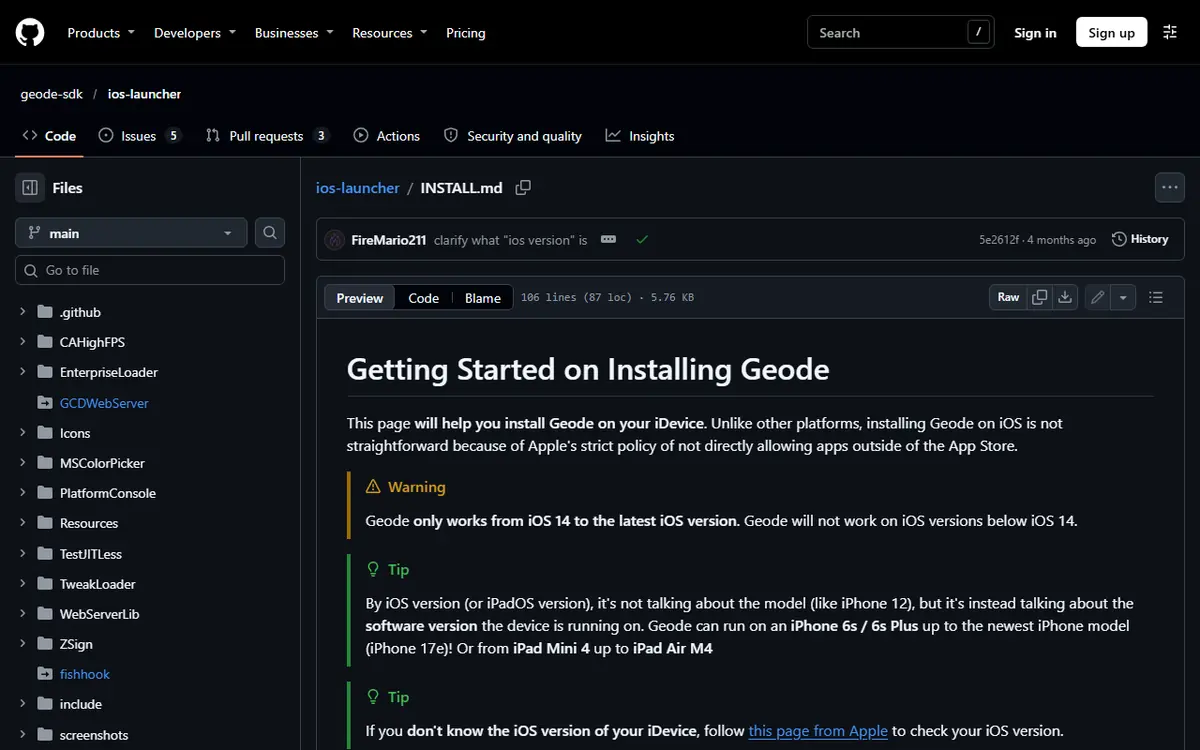
- iOS or iPadOS 14 or later. INSTALL.md stresses that this is the software version, not the device model. LiveContainer needs iOS 15 or later.
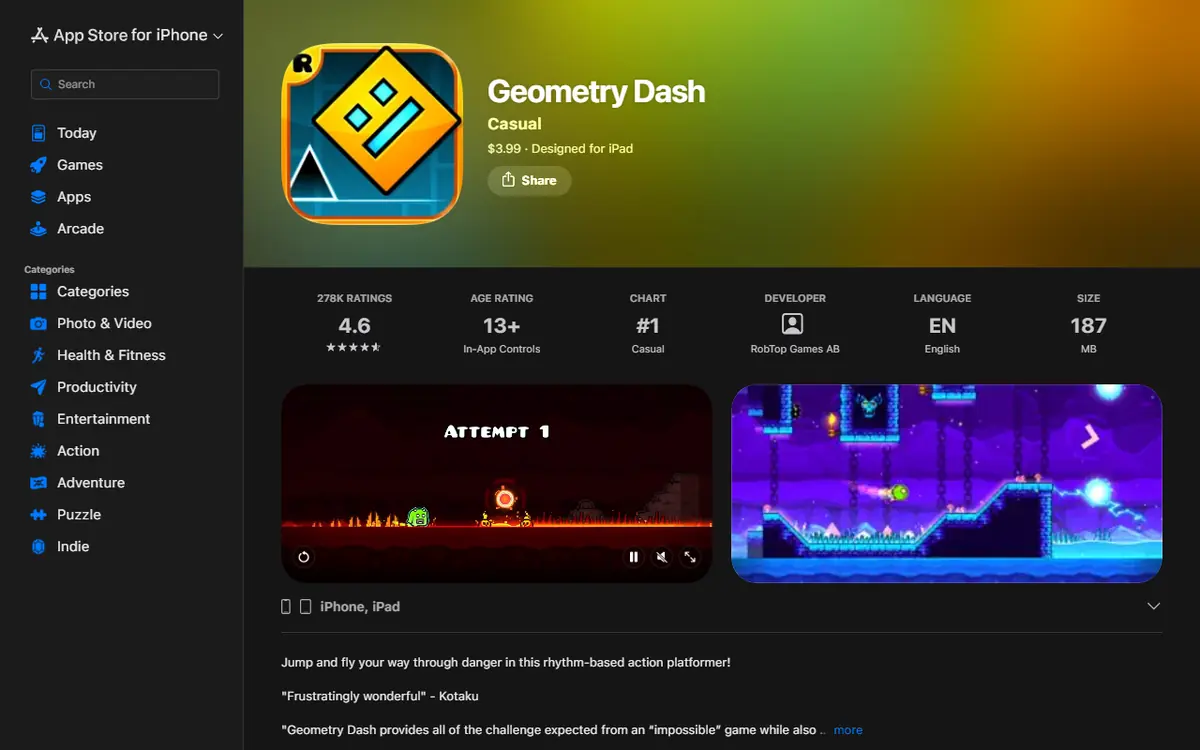
- The full Geometry Dash from the App Store. Lite is not supported.
- An internet connection for the in-game mod browser.
- A computer, if you want full mod support. JIT setup needs one; JIT-less methods do not.
- A synced save. Save your progress to your Geometry Dash account before experimenting.
Choosing an Install Method
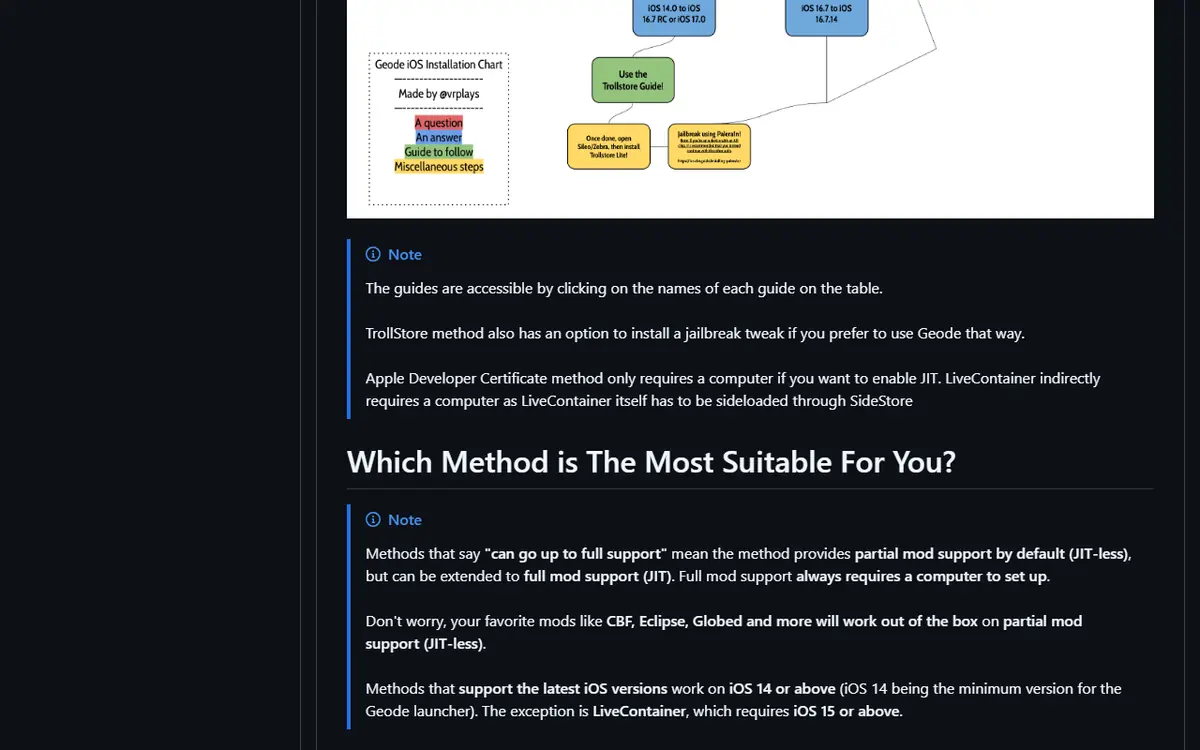
The official INSTALL.md compares five methods. This table summarizes it.
| Method | iOS Support | Computer Needed | Mod Support | Price |
|---|---|---|---|---|
| TrollStore / Jailbreak | iOS 14 to 17.0 (supported builds only) | Usually no | Full (native JIT) | Free |
| SideStore | iOS 14+ | First-time setup only | Full with JIT, partial JIT-less | Free |
| Apple Developer Certificate | iOS 14+ | Only for full JIT | Full with JIT, partial JIT-less | Paid |
| Free certificates | iOS 14+ | No | Partial (JIT-less) | Free |
| LiveContainer | iOS 15+ | Yes (installed through SideStore) | Full with JIT, partial JIT-less | Free |
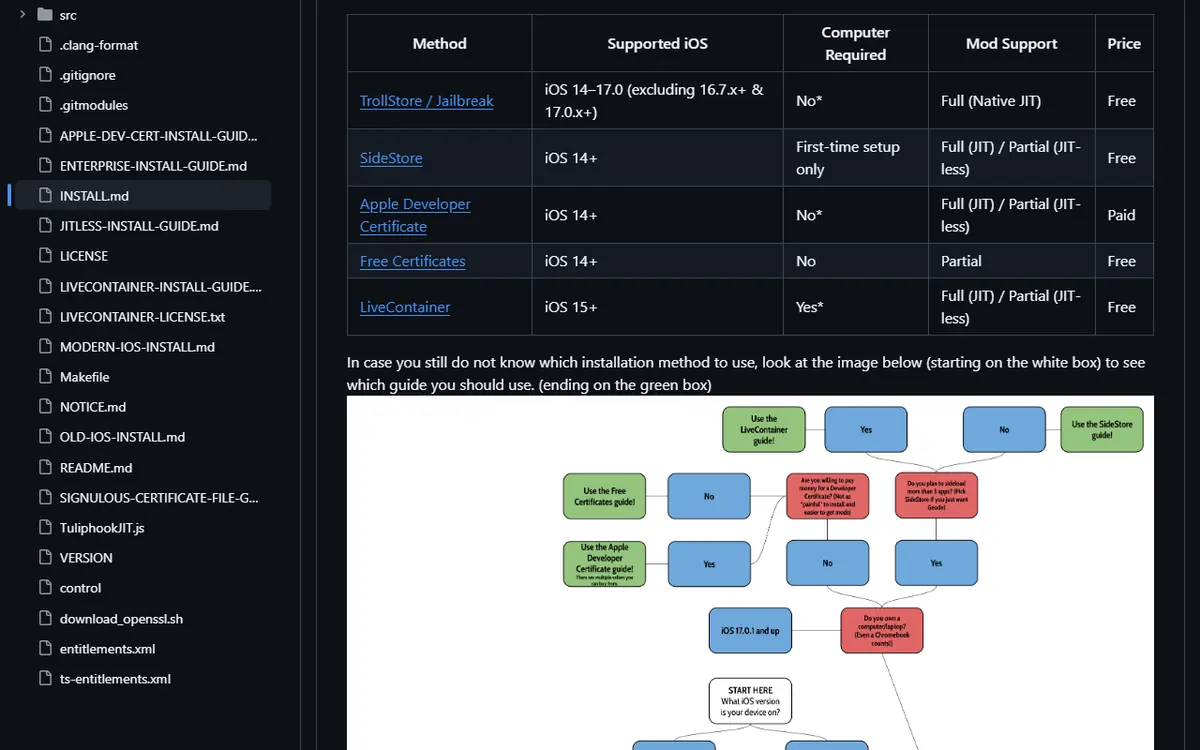
INSTALL.md also links a flowchart that helps you pick a method, plus a separate step-by-step guide for each one. Read the guide for your chosen method from start to finish before you begin, because skipping a step there is the most common reason an install fails halfway.
Which Method Fits You
- TrollStore is described as the best option when your device supports it, and it does not need routine refreshing.
- SideStore is the recommended free option on the latest iOS if you have a computer. The app expires in 7 days unless refreshed, and SideStore limits you to 3 active apps and 10 app IDs.
- An Apple Developer Certificate costs money and can be hit by Apple revoke waves, which make apps signed with it crash.
- Free certificates are JIT-less only, unreliable, need at least 400 MB of storage, and INSTALL.md says they violate Apple's Terms of Service and "should be avoided unless absolutely necessary."
- LiveContainer runs alongside SideStore to save an app slot, but needs a computer and may need extra setup.
JIT Versus JIT-less, Explained
JIT is a technical permission that lets the launcher run mod code at full capability. INSTALL.md is clear: full mod support always requires a computer for setup. Without JIT you get partial support, but it notes that popular mods such as Click Between Frames, Eclipse and Globed work JIT-less. If you only want a few mainstream mods, a JIT-less setup may be enough.
Installing Geode on iOS Step by Step
Each method has its own official step-by-step guide linked from INSTALL.md, and their screens change often. The overall Geode Geometry Dash iOS flow looks like this:
- Check your iOS version in Settings > General > About.
- Install the full game from the App Store and open it once.
- Choose an install method from the table above.
- Follow that method's official guide and install the launcher file from the official releases:
.tipafor TrollStore,.ipafor the other methods. - Set up JIT with a computer if you want full mod support.
- Launch and add mods from the Geode button on the main menu.
If iOS says the developer is not trusted, trust the profile in Settings. Newer iOS versions may also ask you to turn on Developer Mode for sideloaded apps, followed by a restart.
Refreshing Sideloaded Apps, Explained
Every sideloaded app carries a signature, and that signature has an expiry date. When it expires, iOS refuses to open the app until it is signed again. With SideStore, INSTALL.md warns that the app "will expire in 7 days if you don't frequently refresh it." Refreshing renews the signature; it does not normally delete your data or require a fresh download. Think of it as routine maintenance, like charging a controller. If the launcher suddenly will not open, an expired signature is the first thing to suspect.
The TrollStore Path
If your device already runs TrollStore on a supported iOS version, the process is simpler: install the .tipa file from the official releases with TrollStore and the launcher appears on your home screen. Apps installed this way do not need routine refreshing, and TrollStore provides native JIT, which is why INSTALL.md calls it the best option when available. Do not try to force TrollStore onto an unsupported iOS version just for Geode; use SideStore or LiveContainer instead.
Installing and Managing Mods on iOS
Inside the game, tap the Geode button, open the Download tab, search or scroll, open a mod's page and tap install. Restart through the launcher if asked. Our Geode mods browser guide explains search, filters and tabs in depth. The official index has a separate iOS platform filter, so check each mod's page for iOS support; some mods, such as the paid Mega Hack installer, list Windows and Android only.
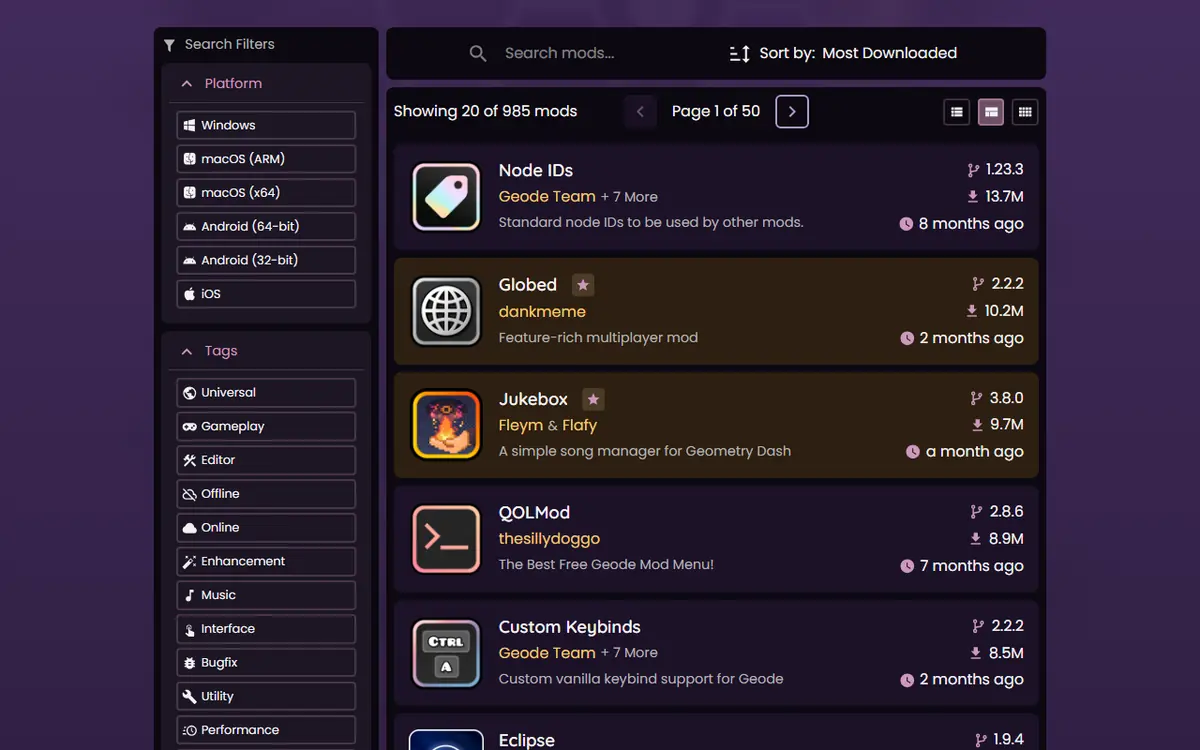
Dependencies such as Node IDs install automatically, and every mod can be toggled individually, which makes testing much easier than reinstalling.
Picking Mods for a Touchscreen
Some mods are designed mainly for a keyboard and mouse, so read each description before installing. Mods that tend to make sense on an iPhone or iPad include BetterInfo for extra level and profile details, Startpos Switcher for practice runs, Jukebox for replacing level songs and Globed for playing alongside other players. Add mods a few at a time; older devices can struggle with heavy texture packs or long mod lists.
Limitations to Expect on iOS
- Experimental status. The official install page labels iOS as experimental, so expect rough edges.
- Installation outside the App Store adds steps and, for most methods, regular refreshing.
- Full mod support needs a computer for JIT setup.
- Not every mod supports iOS. Some target desktop features or input methods.
- Game updates can break things until a compatible Geode release ships.
- Certificates can be revoked, which is a risk with paid and free certificate methods.
Troubleshooting Geode on iPhone and iPad
The Launcher Will Not Open
For SideStore installs, an expired app is the most likely cause: refresh it. For certificate installs, the certificate may have been revoked. Also confirm Developer Mode and profile trust.
The Launcher Cannot Find Geometry Dash
The launcher requires the full version of the game. If only Geometry Dash Lite is installed, it will not work. Install the full game from the App Store, open it once, and follow your method's setup steps again.
Mods Will Not Download
Check your internet connection first, since the mod browser needs to be online. If you are connected and a particular mod still fails, open its page in the official index and confirm it lists iOS support.
Something Asks for Your Password
Geode does not need your Geometry Dash password. If any app or website requests it during setup, stop and delete whatever you downloaded. Logging in through the game's own account menu is the only normal way to sync progress.
Some Mods Do Not Work
You may be running JIT-less, which gives only partial support. Set up JIT with a computer, or stick to mods known to work JIT-less.
The Game Crashes After an Update or a New Mod
Disable the most recent mod from the Geode menu. After a game update, Geode may run in forward compatibility mode with some features disabled; crashes then usually come from outdated mods. Wait for a stable release rather than reinstalling. See the Geode not working fixes for more.
Platform Notes and Safety
The iOS path is more involved than Geode on Android, where a single launcher APK does the job. Download the launcher only from the official geode-sdk GitHub releases. Pages offering a pre-modded Geometry Dash, a "free" full game or a special Geode build are not official. Geode never needs your Geometry Dash password or your Apple ID password. Cheat-style features such as noclip are fine for practice but can get you leaderboard-banned on real runs. Read our Geode safety guide before installing anything unfamiliar.
Frequently Asked Questions
Does Geode Geometry Dash work on iPhone without a jailbreak?
Yes. SideStore, an Apple Developer Certificate and LiveContainer all work without a jailbreak, according to the official INSTALL.md. TrollStore is an option only on the iOS versions it supports.
What is the difference between the .ipa and .tipa files?
Release v1.5.5 of the iOS launcher ships both. The .tipa file is the one TrollStore installs; the .ipa is used by sideloading methods such as SideStore or a developer certificate.
Which iOS version do I need for Geode?
iOS or iPadOS 14 or later. The INSTALL.md notes this means the software version, not the device model. The LiveContainer method needs iOS 15 or later.
What is JIT and do I need it?
JIT is what gives the launcher full mod support, and setting it up needs a computer. Without it you get JIT-less, partial support; INSTALL.md says mods such as CBF, Eclipse and Globed still work in that mode.
Why does my sideloaded launcher stop opening after a week?
With SideStore, the app expires in 7 days if you do not refresh it regularly. Refresh it through SideStore and the launcher should open again without losing your setup.
Can I use Geode with Geometry Dash Lite on iOS?
No. Geode targets the full version of Geometry Dash on every platform. The free Lite version is not supported by the iOS launcher.
