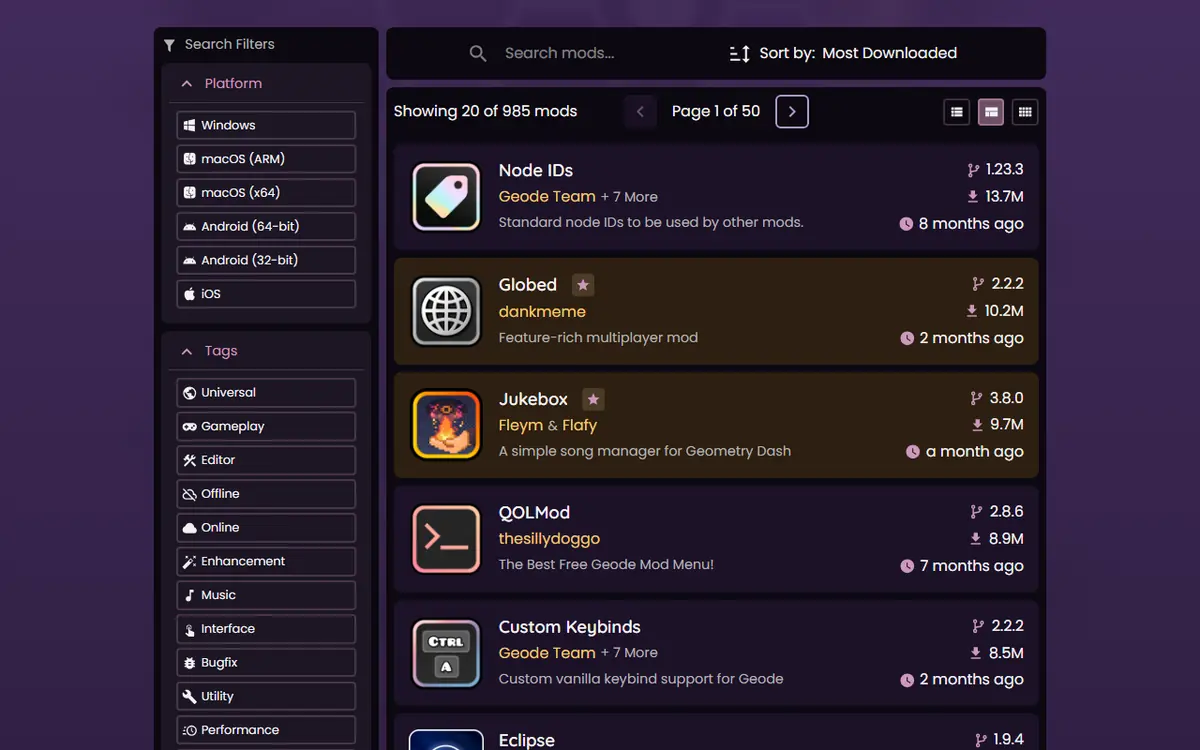
Geode Geometry Dash puts the whole mod catalogue inside the game. Instead of downloading files from random websites, you press one button on the main menu, search, and install. The same catalogue is also public on the web as the official Geode mods index at geode-sdk.org/mods, which listed 985 mods on November 5, 2026. This guide shows you how to use both: finding mods, reading a mod page, installing, updating, disabling and removing them.
Everything here is based on the official install page, the official FAQ and the live index. We describe the screens and options those sources show; where the in-game layout may differ by platform or version, we say so.
Version Note Before You Browse
As of November 5, 2026, stable Geode v5.11.2 supports Geometry Dash 2.2081, and the latest versions of 775 index mods target that game version. GD 2.2091 support is only in Geode v6.0.0-alpha.1, a developer alpha, and the official install page says Geode is broken on 2.2091 for now. If you are on 2.2091, the browser will have little to offer until stable support and mod updates arrive. Our Geode mods by version list tracks the state of popular mods.
Opening the In-Game Geode Browser
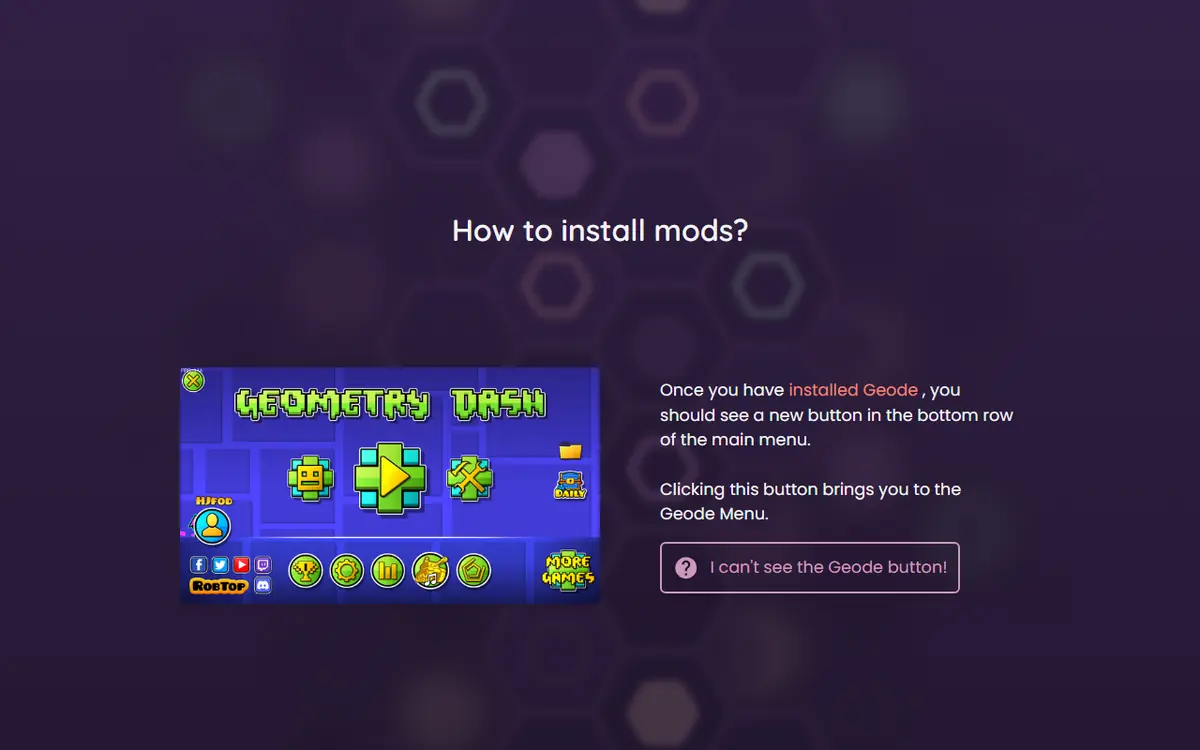
After Geode is installed, the official install page says a Geode button appears in the bottom row of the main menu. Pressing it opens the Geode menu. From there you can:
- See your installed mods and enable, disable, view or uninstall each one.
- Browse the online index through tabs that include Recommended, Download and Trending.
- Open any mod's page to read its description and install it.
If you do not see the button, Geode did not load. Check our Geode not working fixes before going further.
Using the Official Mods Index on the Web
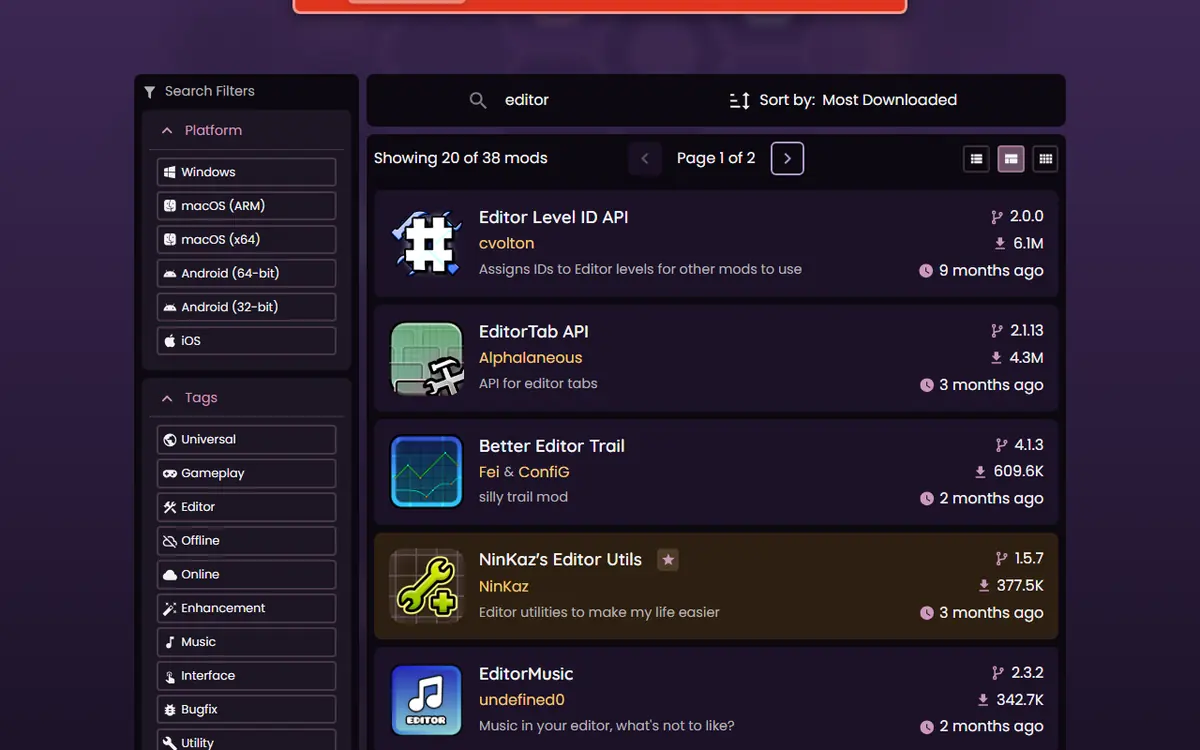
The website version of the index at geode-sdk.org/mods is useful for research on a bigger screen. It shows 20 mods per page, sorted by most downloaded by default, with a search bar and a filter panel.
Searching
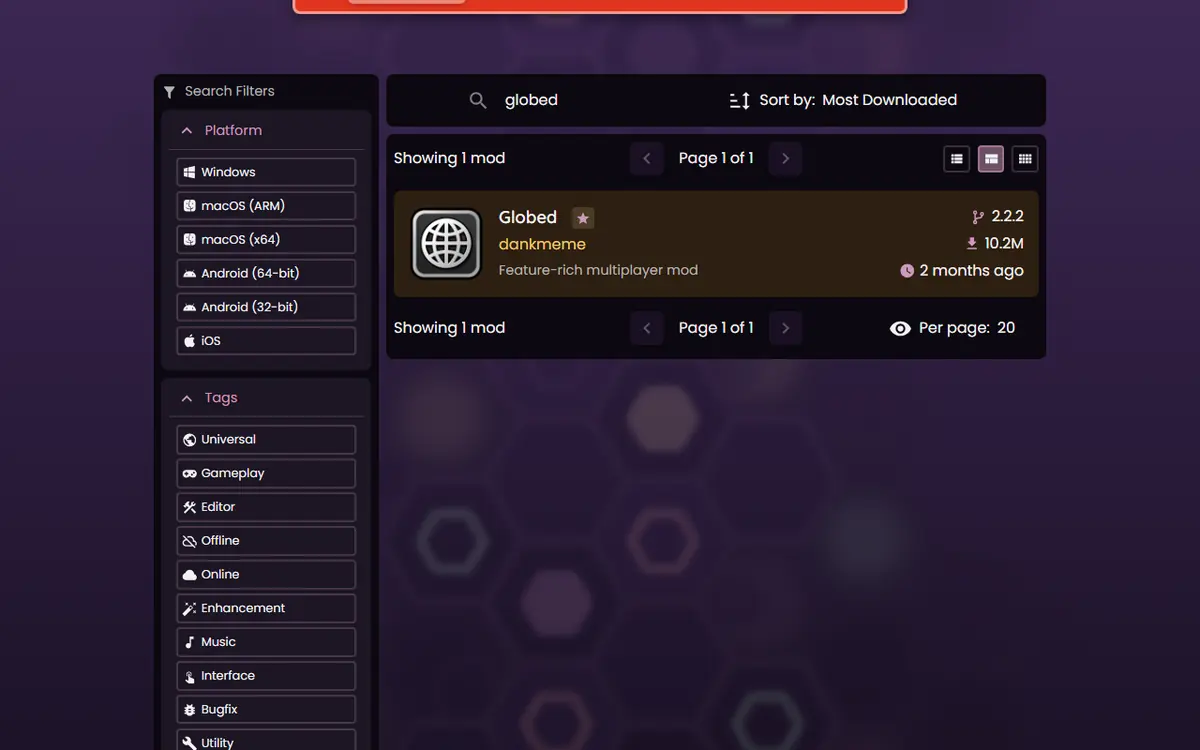
Type a mod name or a keyword into the search bar. Searching "globed", for example, narrows the list to the Globed multiplayer mod, showing its creator, short description, version and download count.
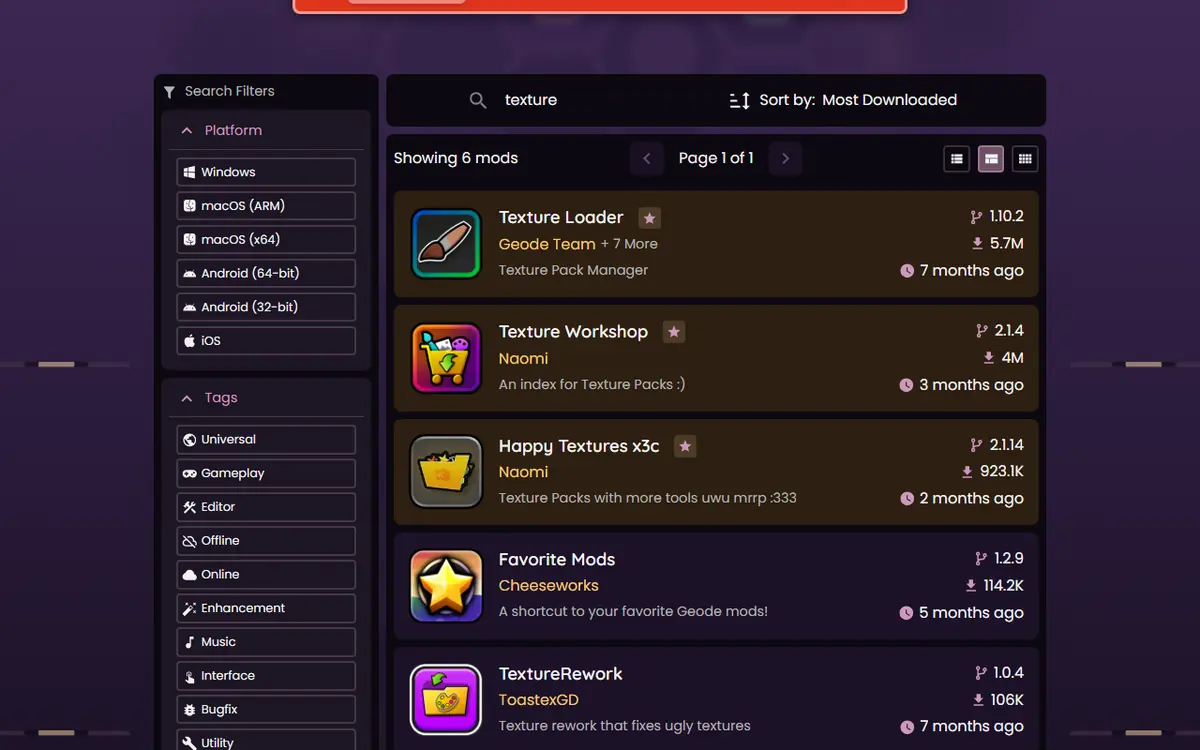
Keyword searches work too. "texture" brings up texture-related mods, and "editor" brings up tools for level creators.
Filtering by Platform and Tag
The filter panel lets you limit results to one platform: Windows, macOS (ARM), macOS (x64), Android (64-bit), Android (32-bit) or iOS. This is the fastest way to avoid mods that will not run on your device. Below that, tag filters such as Universal, Gameplay, Editor, Offline, Online, Enhancement, Music, Interface, Bugfix and Utility narrow the list by purpose.
Sorting, Paging and Layouts
The index opens sorted by most downloaded, and the sort control lets you change the order. On November 5, 2026, the full list ran to 50 pages at 20 mods per page, and a set of buttons switches between list and grid-style layouts. Sorting by downloads is a good way to see what most players use, while a search plus a platform filter is the quickest way to answer "does this mod exist for my phone?". The Geode v6.0.0-alpha.1 changelog also mentions more sorting options for index mods, so expect this area to grow when v6 is stable.
Reading the Result Cards
| Element | What it tells you | Why it matters |
|---|---|---|
| Mod name and logo | The mod's display name | Match it to guides and recommendations |
| Creator name | The developer who owns the mod | Confirms you have the real mod, not a copy |
| Short description | One-line summary from the creator | Quick check of what it does |
| Version number | Latest published version | Compare with update notices in-game |
| Download count | Total downloads, e.g. 10.2M | Popularity, not a quality guarantee |
| Last update age | How long since the last release | Recent activity hints at faster updates |
| Star badge | Featured mod | Highlighted by the index |
When the Website Beats the In-Game Browser
Use the website when you want to plan before you play. It is easier to compare several mods side by side in browser tabs, to share a mod's page with a friend, or to check whether a mod supports a phone you do not have in your hand. It is also the quickest way to confirm a mod is real: if someone sends you a "Geode mod" that does not appear on geode-sdk.org/mods, it did not come through the official index. For the actual install, switch back to the game; the in-game browser downloads the same files and handles dependencies and restarts for you, so there is no reason to move files around by hand.
Reading a Mod Page
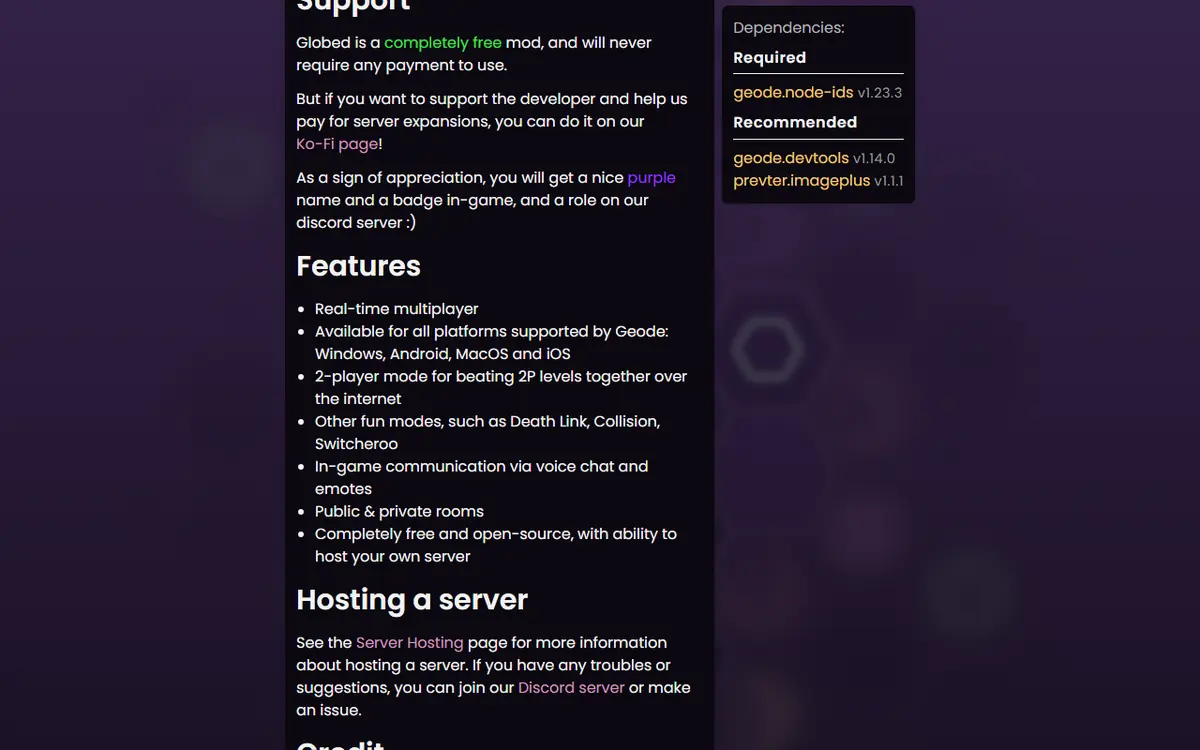
Each mod has its own page at an address like geode-sdk.org/mods/<mod-id>. Before installing, read three things on it: the description written by the creator, the supported platforms, and the game version the current release targets. The index also stores links to a creator's homepage, community or source code when the creator provides them.
Look out for two tags in particular. Mods tagged cheat contain features such as noclip that can affect leaderboard eligibility, and mods tagged paid require a purchase. The official FAQ confirms that Geode is free but some individual mods may be paid.
Installing a Mod Step by Step
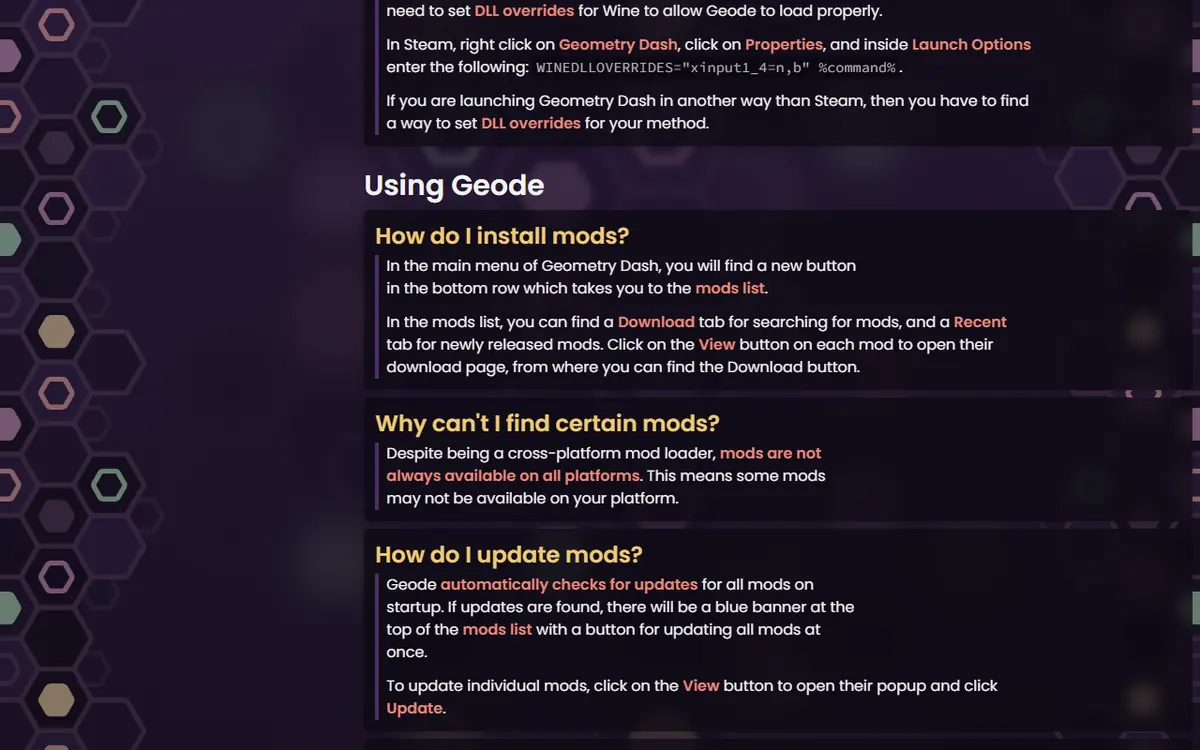
- Open the Geode menu from the main menu button.
- Go to the browse tabs and search for the mod by name.
- Open the mod's page and confirm the creator and description.
- Press install. If the mod needs dependencies, such as the Node IDs helper, Geode handles them for you.
- Restart the game when Geode asks, so the new mod can load.
Install two or three mods at a time and play briefly between batches. If something breaks, you will know which mod to switch off. New players can follow our Geode starter pack for ten safe first picks.
Dependencies and Helper Mods
Some mods are not meant to be installed on their own. They are libraries that other mods build on. The clearest example is Node IDs by the Geode Team, which gives standard IDs to the game's menus so other mods can find and change them. It is the most downloaded entry in the whole index, at 13,729,493 downloads on November 5, 2026, precisely because so many mods depend on it. When you install a mod that needs a helper, Geode installs and loads the helper first. If you later spot a mod in your list that you never chose, check whether something else depends on it before you remove it; deleting a dependency can disable every mod that relies on it.
A Quick Research Routine Before Installing
Thirty seconds of checking prevents most problems:
- Search the official index for the exact name, and confirm the creator.
- Filter by your platform to make sure a build exists for your device.
- Check the version and the game version the current release targets.
- Look for the cheat and paid tags so nothing surprises you.
- Read the creator's description for known conflicts or required settings.
Want a shortlist instead of searching from scratch? Our best Geode Geometry Dash mods ranking lists fourteen popular mods with all of this data in one table.
Updating, Disabling and Removing Mods
Updates
According to the official FAQ, you get an in-game notification when a mod has an update. After a Geometry Dash update you do not need to reinstall your mods; they stay installed but unavailable until their developers publish a compatible build.
Disable Before You Delete
Every installed mod has an on/off switch in the Geode menu. Disabling is the quickest way to test whether a mod causes a problem, and you can turn it back on in seconds.
Uninstalling
The official FAQ's method: open the mod from your installed list with the View button, then choose uninstall. For removing Geode itself, see our update, manage and uninstall guide.
Platform Notes
- Windows and macOS: the browser works in the Steam version of the game after running the official installer.
- Android: start the game from the Geode launcher; the browser lives in the same Geode menu.
- iOS: Geode is experimental. The official iOS install notes say full mod support needs JIT, and some mods work without it.
- All platforms: the official FAQ notes mods are not always available on every platform, so use the platform filter on the website.
Troubleshooting the Browser
- The browser is empty or will not load: check your internet connection and try again; the index is an online service.
- A mod will not install: it may not support your platform or game version. Check its page on the website.
- The game crashes after installing: start in Safe Mode, which loads no mods (hold Shift while launching on Windows or Mac; press and hold Launch in the Android app), then disable the newest mod.
- A mod shows as unavailable after a game update: wait for its creator to update it.
Safety: Why the Official Index Matters
The index is the safest place to get mods because it is the source Geode itself uses, and every mod page names its creator. Mirror sites, "mod pack" downloads in video descriptions and repackaged APKs offer nothing the index does not, and they can contain modified files. Never enter your Geometry Dash password to download a mod, and back up your save before a large batch of installs.
For developers, the index also has a public API at api.geode-sdk.org, which is where the numbers in our guides come from.
Frequently Asked Questions
Is the website index the same as the in-game browser?
Yes. The in-game Geode browser and geode-sdk.org/mods both read the official Geode mods index. The website is handy for reading and comparing on a big screen; the in-game browser is the easiest way to install.
How many mods are in the Geode index?
985 on November 5, 2026, according to the official index. The count changes as creators publish new mods, so the number you see may be different.
Why can I not find a mod I saw in a video?
It may not support your platform, it may target an older game version, or it may not be in the official index at all. If it is not on geode-sdk.org/mods, treat any download link for it with suspicion.
How do I update my installed mods?
Geode shows an in-game notice when an installed mod has an update. Open the Geode menu, install the update and restart. After a game update, mods stay installed and return once their creators update them.
How do I remove a mod?
Open the Geode menu, find the mod in your installed list, open it with View and choose uninstall. If you might want it back, disable it instead; that takes one tap to reverse.
Does installing mods from the browser cost money?
Geode and nearly all mods are free. The official FAQ notes that some individual mods may be paid, and the index tags them, for example Mega Hack Installer. Free mods never need payment.
