Geode Geometry Dash mods do not run on every game version. Each mod release in the official index declares which Geometry Dash version it was built for and which Geode version it needs, and Geode refuses to load a mod that does not match. This guide turns that index data into a versioned list, so you can see at a glance which popular mods work on your setup and what to expect from the GD 2.2091 update.
All data below comes from the official Geode mods index API and GitHub releases, checked on November 5, 2026. We list only what the index says; we do not claim to have tested each mod on each version.
Version Status on November 5, 2026
Two version lines matter right now:
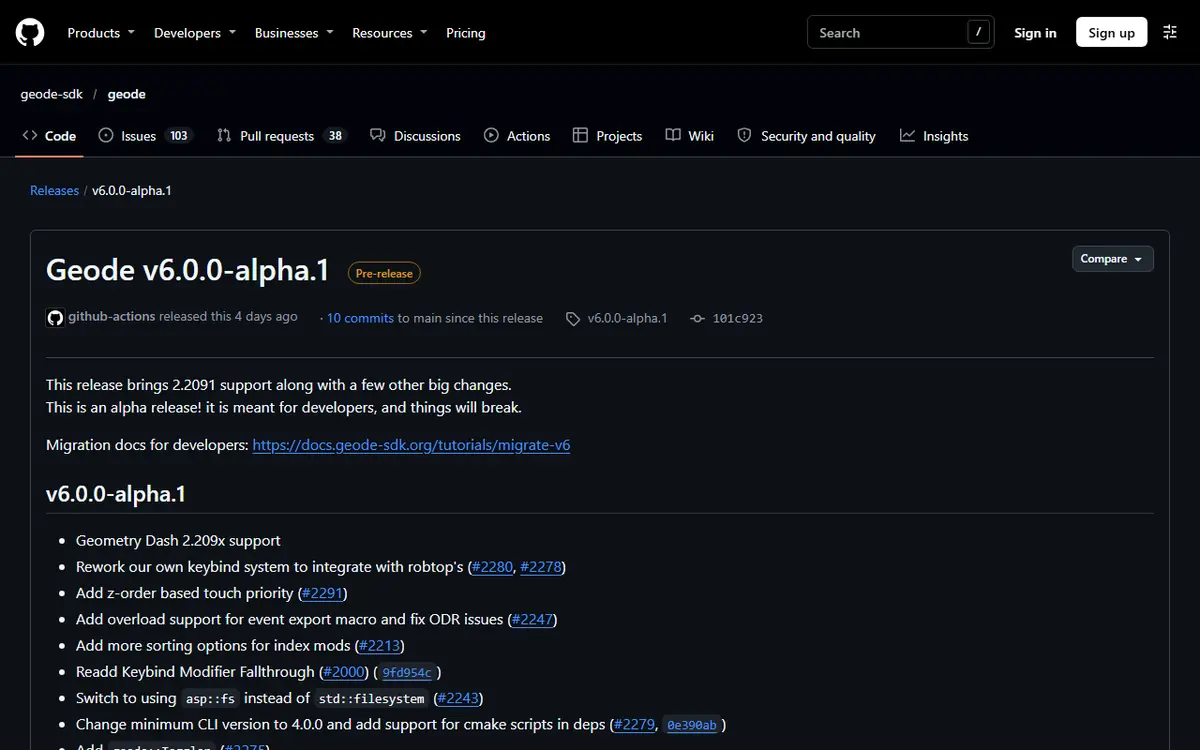
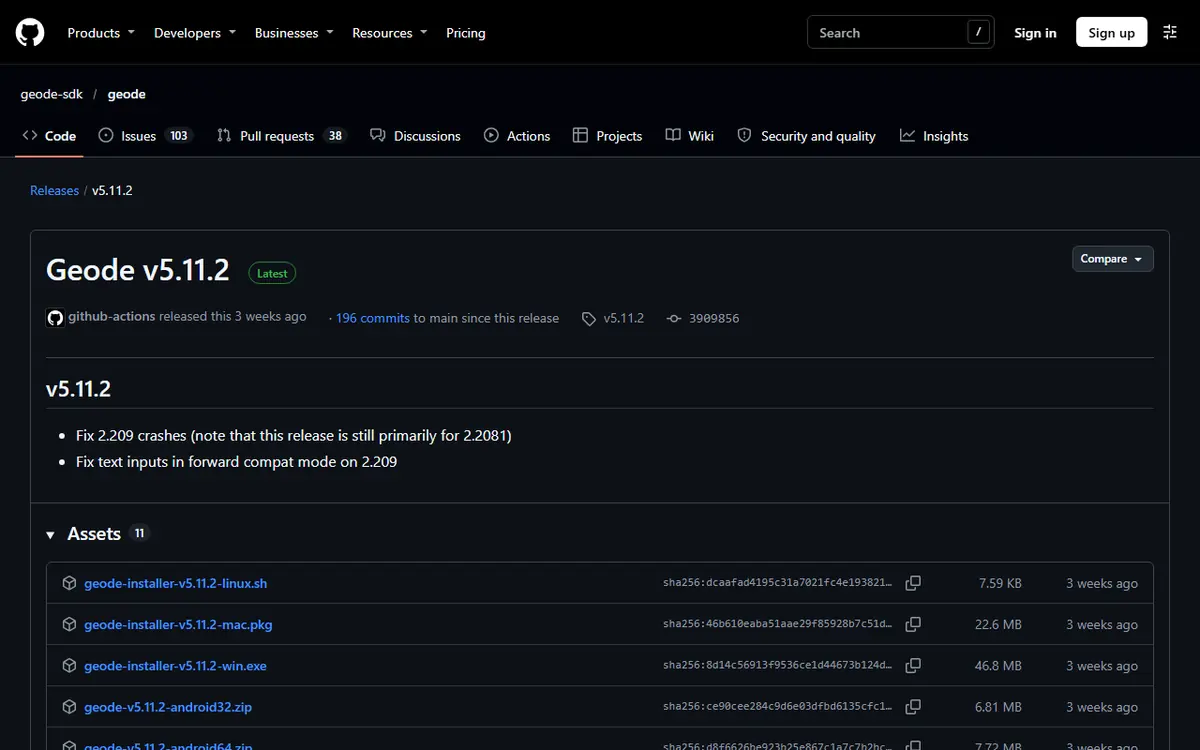
- Geode v5.11.2 (stable, released October 15, 2026) supports GD 2.2081. Its release notes say it fixes some 2.209 crashes but is "still primarily for 2.2081".
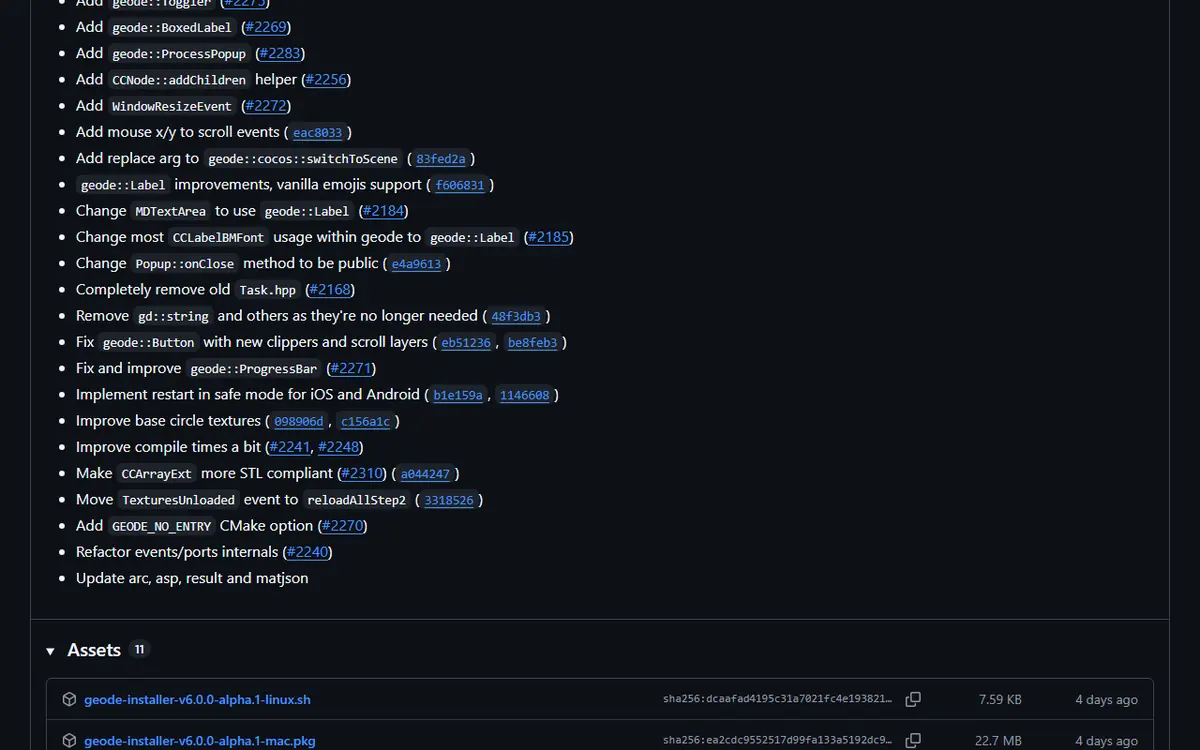
- Geode v6.0.0-alpha.1 (prerelease, November 1, 2026) "brings 2.2091 support" and is described as "meant for developers, and things will break."
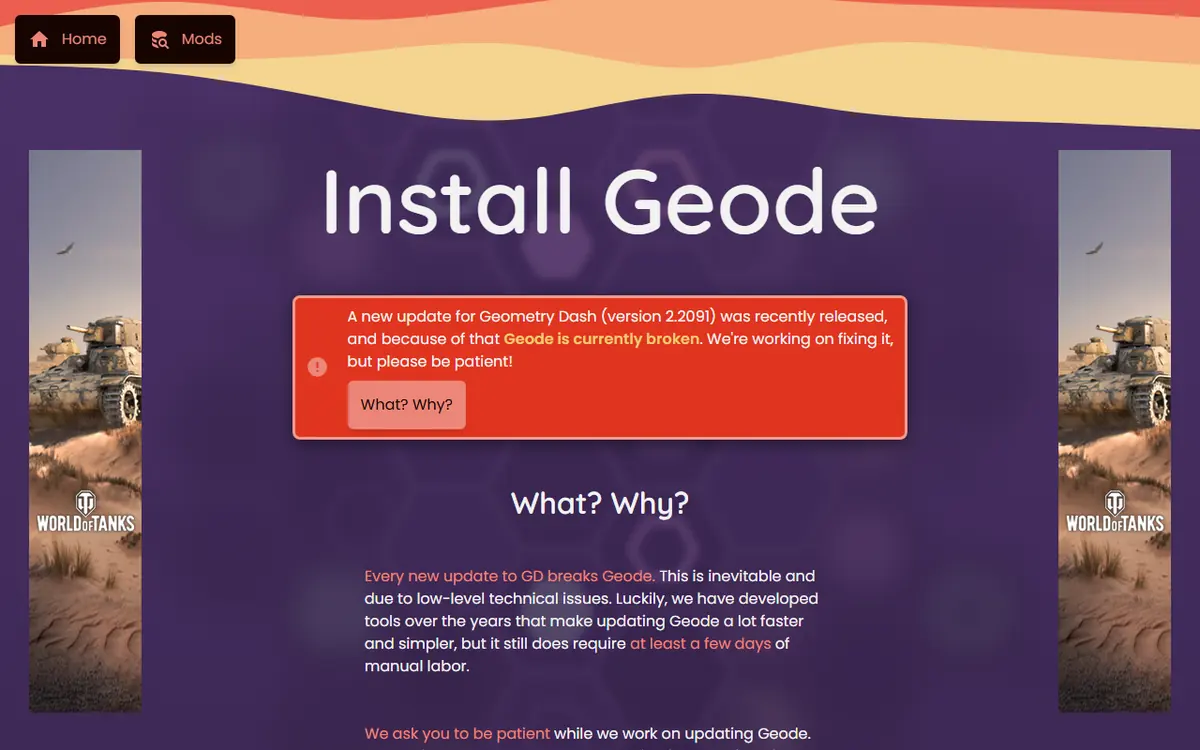
The official install page currently says Geode is broken after the 2.2091 update and that v5.11.2 only works on 2.2081. Read the full release notes on the Geode GitHub releases page.
How Mod Versions Work in Geode
Every mod version in the index carries three pieces of version data:
- The mod's own version, such as Globed 2.2.2.
- The target game version per platform, such as GD 2.2081 for Windows, macOS, Android and iOS. A few mods declare "*" (any version) for some platforms.
- The minimum Geode version, such as 5.10.0 for the current Globed build.
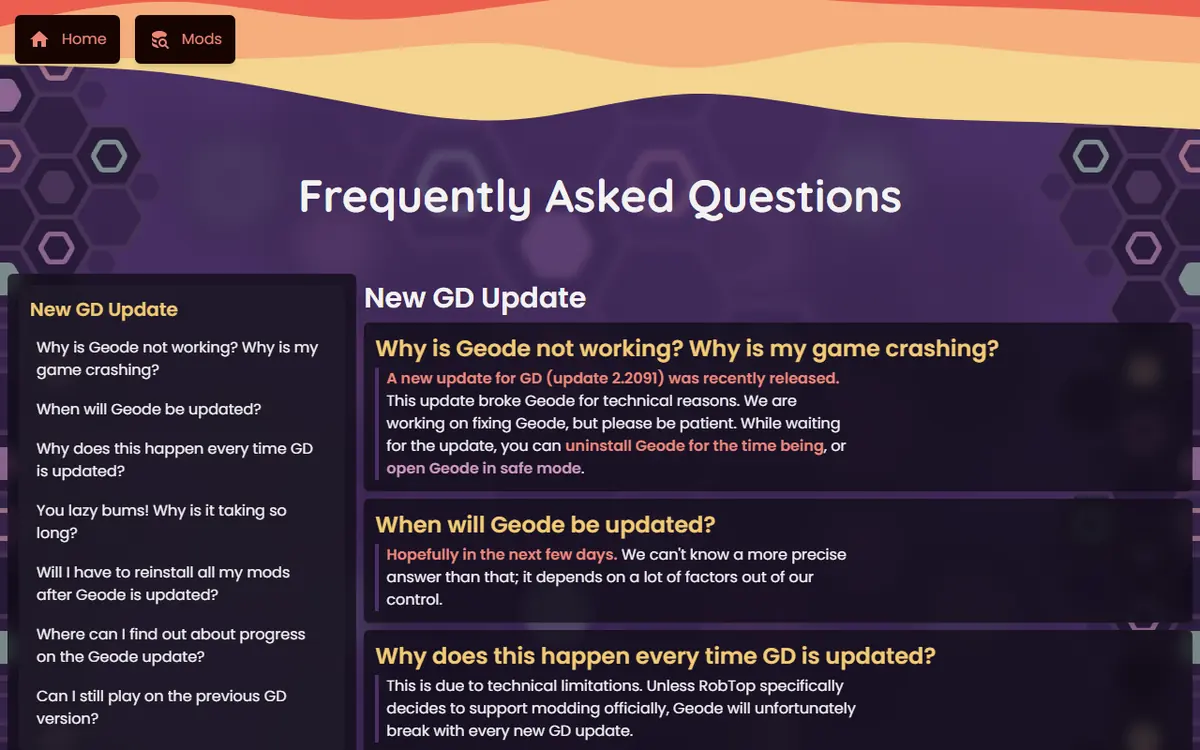
When the game version changes, the target no longer matches, so Geode keeps the mod unavailable until the creator ships a new build. The official FAQ confirms you do not need to reinstall your mods after an update; you get an in-game notice once an update is ready.
The Whole Index by Target Version
We grouped the latest version of every mod in the index by the newest game version it lists for any platform. This shows how far the ecosystem had moved to 2.2081 by November 5, 2026.
| Target GD version | Mods (latest version) | Typical Geode line | Loads on GD 2.2081? |
|---|---|---|---|
| 2.2081 | 775 | Geode 5.x | Yes |
| 2.2074 | 153 | Geode 4.x | No, waiting for an update |
| 2.206 | 36 | Geode 3.x | No |
| 2.205 | 4 | Older Geode | No |
| 2.204 | 5 | Geode 2.x | No |
| Any ("*") | 12 | Varies | Usually, check the mod page |
| 2.2091 | 0 | Geode 6 (alpha) | Not applicable yet |
The index splits by Geode major version in almost the same way: 781 mods need Geode 5, 155 need Geode 4, 40 need Geode 3 and 9 need Geode 2. In short, about four in five mods work on the current stable setup, and the rest are older releases their creators have not updated. When you browse, prefer mods with a recent index update and a GD 2.2081 target; they are the ones most likely to be updated quickly for 2.2091 as well.
Popular Mods for GD 2.2081 (Geode 5.x)
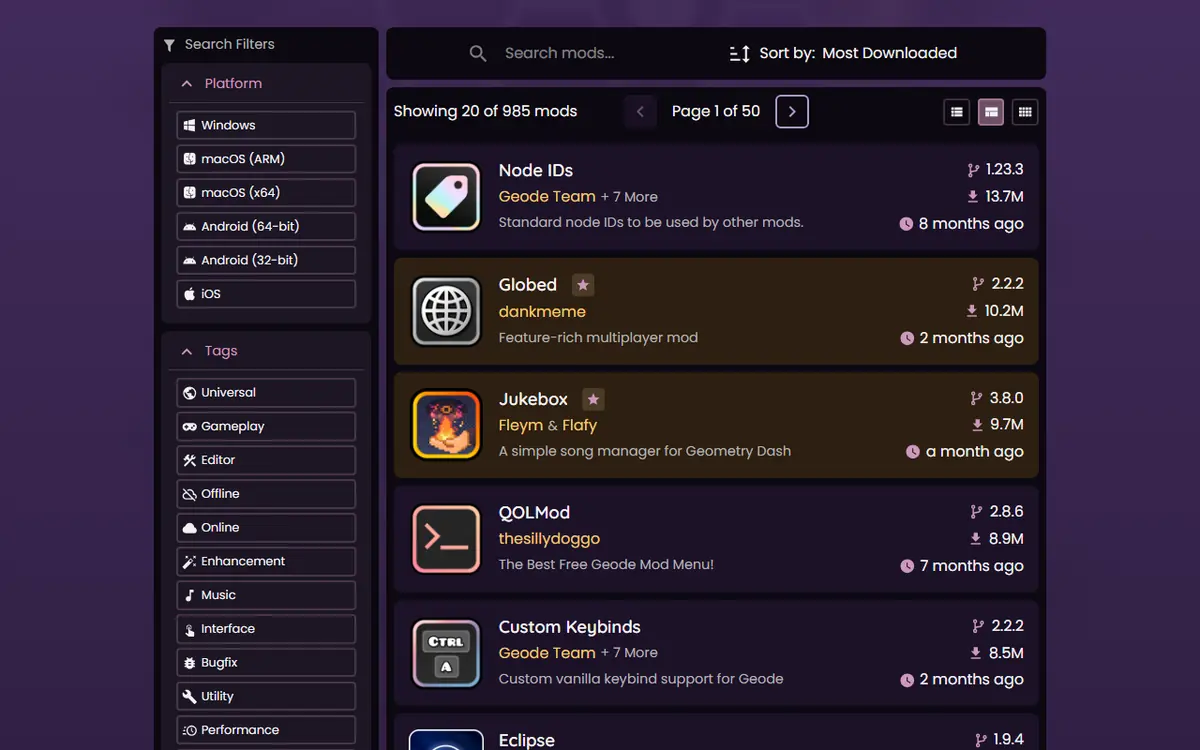
These popular mods all have a current build for GD 2.2081. "Needs Geode" is the minimum Geode version declared in the index, and "Index updated" is the date of the mod's latest index activity.
| Mod | Latest version | Targets GD | Needs Geode | Index updated |
|---|---|---|---|---|
| Globed | 2.2.2 | 2.2081 | 5.10.0 | Sep 13, 2026 |
| Jukebox | 3.8.0 | 2.2081 | 5.10.1 | Sep 25, 2026 |
| QOLMod | 2.8.6 | 2.2081 | 5.5.3 | Apr 18, 2026 |
| Custom Keybinds | 2.2.2 | 2.2081 | 5.9.0 | Aug 27, 2026 |
| Eclipse | 1.9.4 | 2.2081 | 5.3.0 | Apr 24, 2026 |
| BetterInfo | 4.4.11 | 2.2081 | 5.10.1 | Oct 6, 2026 |
| Click Sounds Full | 2.6.1 | 2.2081 | 5.10.1 | Oct 4, 2026 |
| Misc Bugfixes | 1.11.1 | 2.2081 | 5.10.1 | Sep 18, 2026 |
| Texture Loader | 1.10.2 | 2.2081 | 5.6.0 | Apr 13, 2026 |
| More Icons | 2.1.3 | 2.2081 | 5.5.3 | Apr 2, 2026 |
| Click Between Frames | 1.5.0 | 2.2081 | 5.3.0 | Mar 20, 2026 |
| BetterEdit | 6.10.0-beta.6 | 2.2081 | 5.5.3 | Apr 6, 2026 |
| Startpos Switcher | 1.0.10 | 2.2081 | 5.0.0-beta.3 | Feb 19, 2026 |
| Mega Hack Installer (paid) | 1.1.10 | 2.2081 | 5.3.0 | Apr 2, 2026 |
| DevTools | 1.14.0 | 2.2081 | 5.7.1 | May 8, 2026 |
| Node IDs | 1.23.3 | 2.2081 | 5.3.0 | Mar 8, 2026 |
An older "Index updated" date does not mean a mod is broken. It means its current build has worked since then for 2.2081. For what each mod does, see our best Geode Geometry Dash mods guide.
GD 2.2091 and Geode v6: What Changes
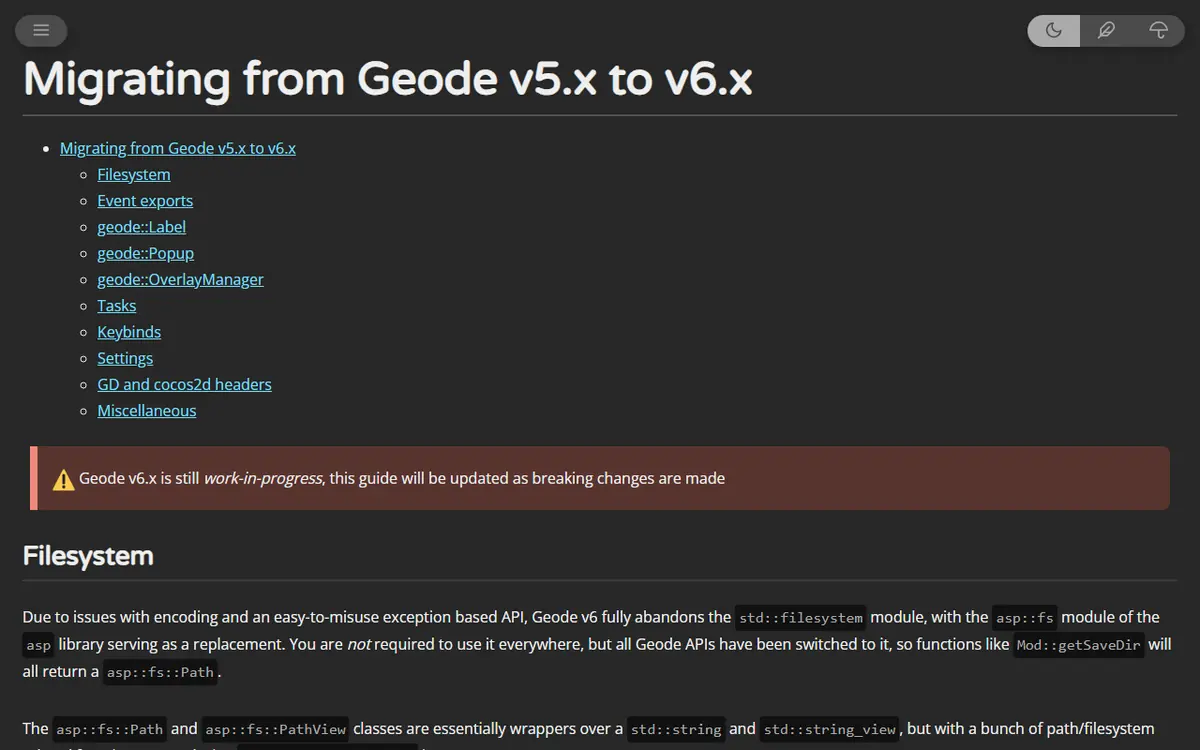
GD 2.2091 support starts in Geode v6.0.0-alpha.1. Its changelog lists "Geometry Dash 2.209x support" alongside developer-facing changes: a reworked keybind system that integrates with RobTop's, a new minimum CLI version (4.0.0), restart in safe mode for iOS and Android, and many API changes. Mods must be rebuilt against v6, which is why the developer migration guide for Geode v6 exists.
For players, that means a predictable order of events:
- Geode publishes a stable v6 release that supports 2.2091.
- Core dependencies such as Node IDs update first, because other mods rely on them.
- Popular mods follow as their creators finish rebuilding.
- Older or abandoned mods may never update.
Our Geode update cycle and rollback plan explains when to wait and when to roll back.
What to Do on Each Game Version
If You Are on GD 2.2081
This is the best-supported setup today. Use the stable Geode v5.11.2 installer or launcher from the official install page, install mods from the in-game browser, and avoid updating the game until Geode announces stable 2.2091 support. Remember that Steam and app stores may update the game automatically, so the official FAQ's warning applies: the previous Geode version can break at any time.
If You Already Updated to GD 2.2091
Stable Geode does not support your game yet. The official install page advises uninstalling Geode if it crashes for you, and waiting for the announcement. Your installed mods stay on disk and become available again once both Geode and each mod are updated. Do not install the v6 alpha just to get mods back; it is for developers, and most mods have no v6 build yet.
If You Make Mods
Start from the v6 migration guide, rebuild against the alpha, and publish your updated build through the index when you are ready. Players will see your update in-game. If you are new to modding, our guide to creating your first Geode mod covers the toolchain from scratch.
Version Terms Explained
- Stable release: a normal Geode version such as v5.11.2, intended for everyday players.
- Alpha or prerelease: an early build such as v6.0.0-alpha.1, published for developers to test and update their mods. Expect bugs.
- Nightly: an automatic development build on the Geode releases page. It is not meant for players.
- Target GD version: the game version a mod build was compiled for. It must match your game.
- Minimum Geode version: the oldest loader version a mod build accepts. Updating Geode usually satisfies it.
- Forward compatibility mode: what Geode does when the game is newer than it expects; some features are disabled and crashes become more likely.
Reading Beta Version Numbers
Some popular mods ship pre-release builds as their main index version. Examples on November 5, 2026 include BetterEdit 6.10.0-beta.6, Object Workshop 1.5.0-beta.3 and Custom Death Sound 2.0.0-beta.9. A "beta" label is the creator telling you the build is still being polished, not that it targets a different game version; all three still target GD 2.2081. For editor mods in particular, save your levels more often while using beta builds.
Mods Still on Older Versions
153 mods still target GD 2.2074 as their latest version. One example from the index is xdBot, whose latest version (2.4.0) still targets 2.2074 and was last updated in March 2025. Mods like this will not load on 2.2081 or 2.2091 until their creators publish new builds. Globed shows how projects handle version jumps: its README says older releases (Globed v1 for GD 2.200 to 2.2074 and v0 for GD 2.113) exist for earlier game versions, while current Globed supports only the latest GD.
How to Check Any Mod's Version Yourself
- Open the official Geode mods index or the Geode button in-game.
- Search for the mod and open its page.
- Look at the version number and the game version listed for your platform.
- Compare it with your game version, shown in the game's settings.
The in-game browser reads the same index data, so it is the quickest place to check. Our Geode mods browser guide walks through the screens.
Platform Notes
Version targets are per platform. Almost every popular mod lists the same GD version for Windows, macOS (Intel and ARM), Android (32 and 64-bit) and iOS, but exceptions exist: Mega Hack Installer lists only Windows and Android. On iOS, Geode itself is experimental, so an iOS-compatible mod can still depend on how your launcher was installed.
Troubleshooting Version Problems
- "Mod is outdated" or a mod is greyed out: its target version does not match your game. Wait for an update or check the mod page.
- Everything broke after a game update: follow our Geode not working fixes; reinstalling does not change compatibility.
- Crash at launch: start in Safe Mode (hold Shift on Windows or Mac; press and hold Launch on Android) and disable the newest mod.
Safety Tips
Never chase "2.2091 versions" of mods on mirror sites or video links; real updates appear in the official index and in-game. Do not install alpha Geode builds unless you are a developer. Back up your save before switching game or Geode versions, and sync your progress to your Geometry Dash account so an emergency reinstall does not cost you anything.
How We Keep This List Current
This page is a dated snapshot. Each time Geode or Geometry Dash publishes a release, we re-read the official index and GitHub releases, update the tables, and change the "Updated on" date only when the data actually changed. If a mod you rely on is missing from the tables, its own index page is always the most current source, because creators publish updates there first.
Frequently Asked Questions
Which Geometry Dash version do most Geode mods support right now?
GD 2.2081. Of the 985 mods in the official index on November 5, 2026, the latest versions of 775 target 2.2081. None of the latest index versions targets 2.2091 yet, because stable Geode does not support it.
When will my mods work on GD 2.2091?
First Geode needs a stable release with 2.2091 support. Today that support exists only in v6.0.0-alpha.1, which is meant for developers. After that, each creator has to publish an updated build, so popular mods may return at different times.
Can I keep using mods on GD 2.2081?
Yes, if your copy of the game is still on 2.2081 and you use Geode v5.11.2. The official FAQ warns the older Geode version may break at any time, so treat it as a temporary setup.
What does a mod that targets 2.2074 mean for me?
Its latest index version was built for an older game release. Geode will not load it on 2.2081 until the creator updates it. 153 mods in the index were in that state on November 5, 2026.
How often is this list updated?
We re-check the official index after each Geode or Geometry Dash release and change the updated date only when the data changes. The figures here are a snapshot from November 5, 2026.
