Geode Geometry Dash players live with a predictable rhythm: RobTop releases a game update, Geode stops working, the Geode team rebuilds, and mods return one by one. Knowing that cycle turns a stressful week into a planned pause. This guide explains what breaks and why, how the current 2.2091 cycle has unfolded so far, when to wait and when an alpha is worth it, and a rollback plan that protects your saves and your mod list.
Where the 2.2091 Cycle Stands (Verified November 5, 2026)
The current cycle is a live example of everything in this guide. Here is what the official sources showed on November 5, 2026:
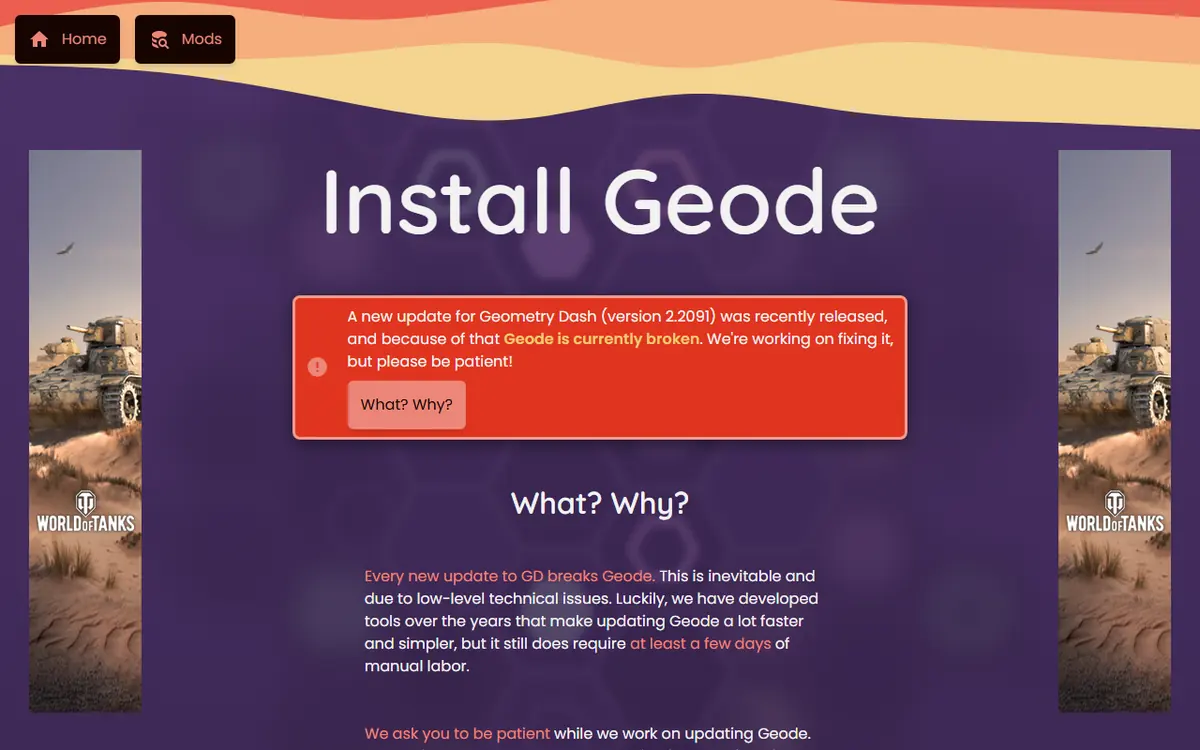
- The official install page says Geode is broken after the Geometry Dash 2.2091 update, that the team is working on a fix, and that you should uninstall Geode if it is crashing for you.
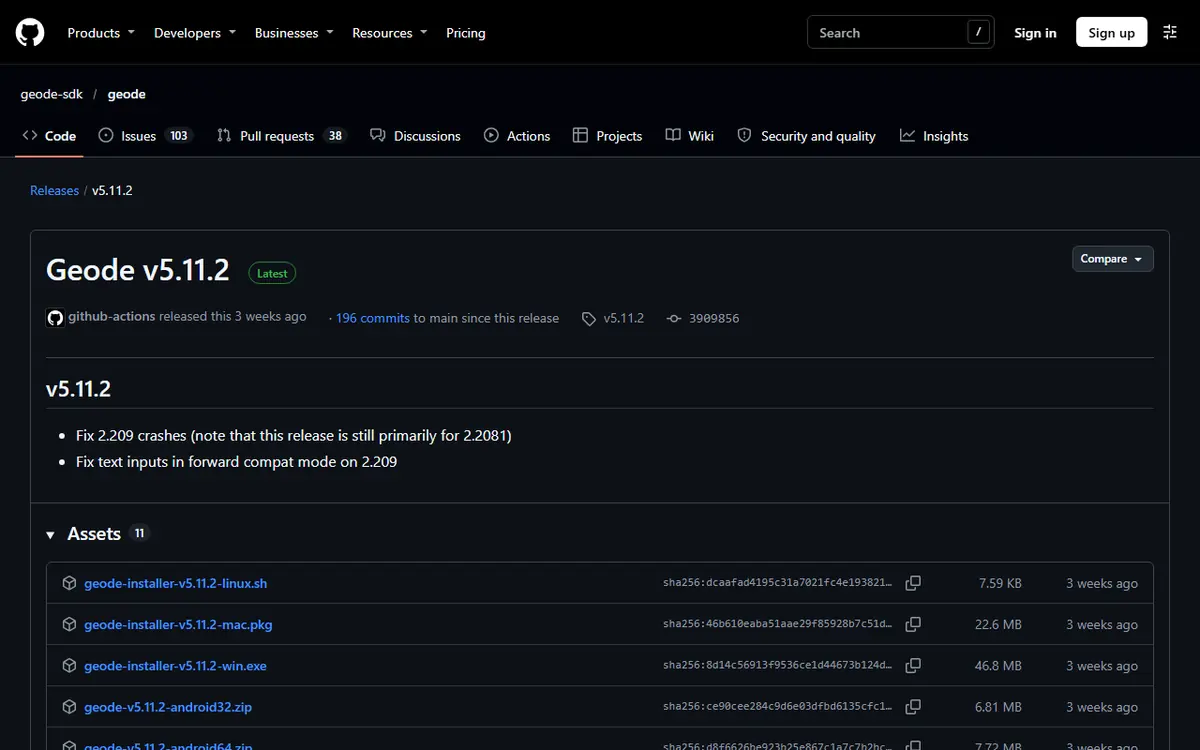
- The latest stable release, v5.11.2, "will only work on 2.2081" according to the same page.
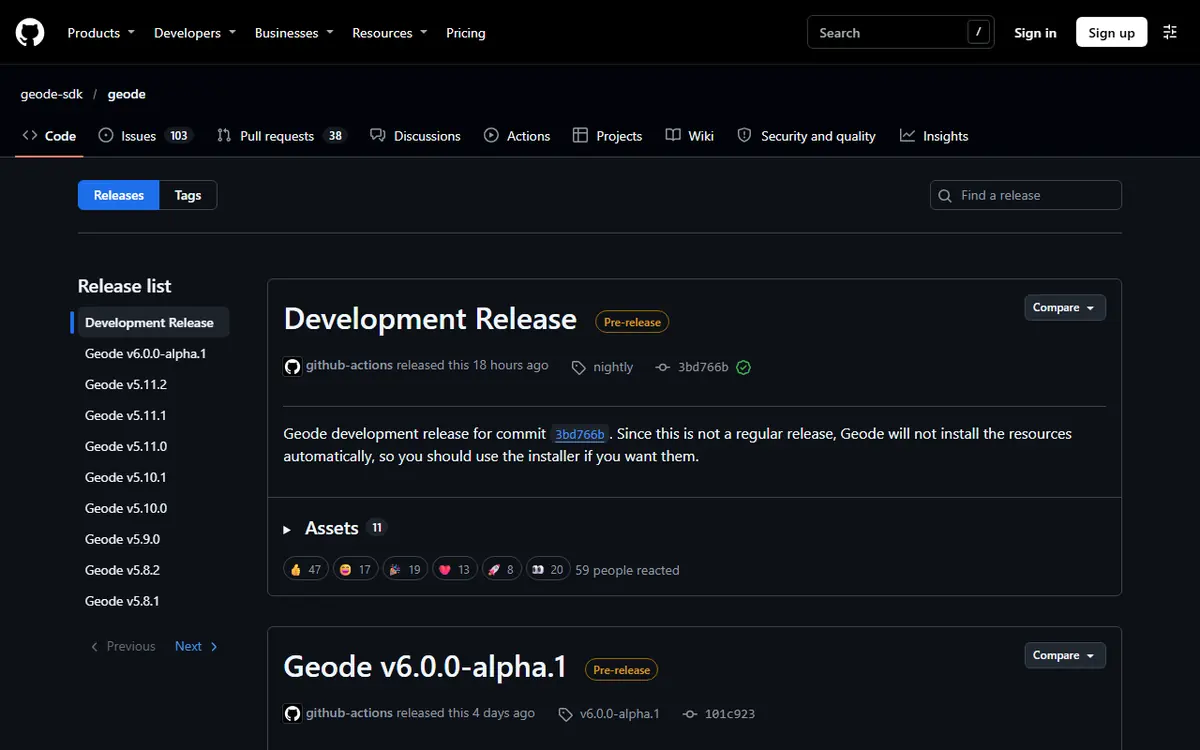
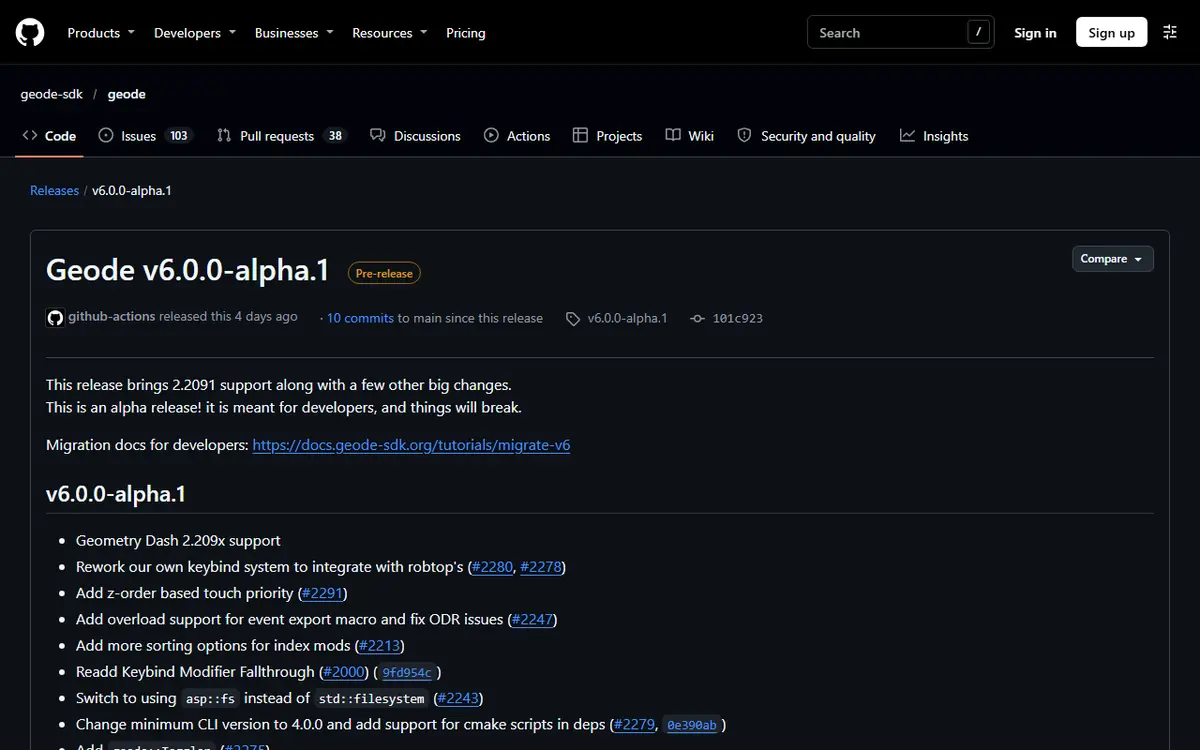
- Geode v6.0.0-alpha.1 brings 2.2091 support, but it is labelled an alpha meant for developers.
Why Each GD Update Breaks Geode
Geode is a mod loader that hooks into the game. Instead of each mod patching the game on its own, every mod goes through Geode's shared framework, which needs to know exactly where specific functions and structures live inside a particular build of Geometry Dash. An update moves those pieces, so the old Geode build no longer matches and mods built against it can crash.
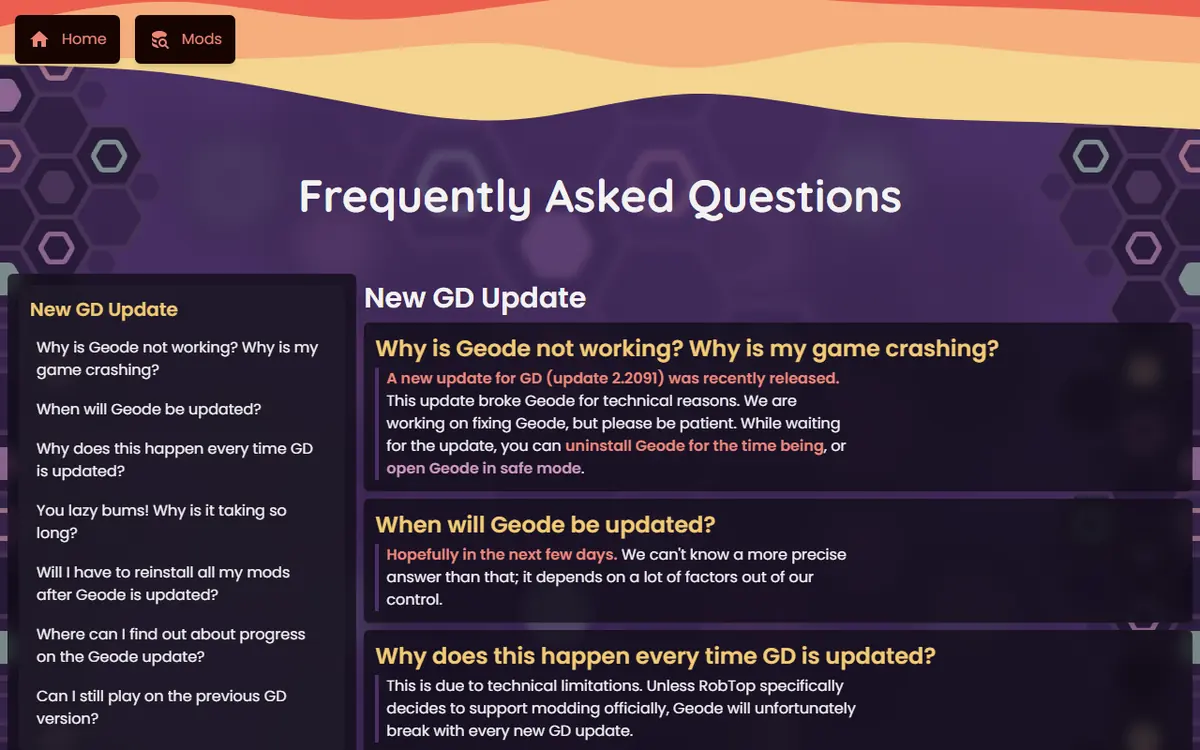
The official Geode FAQ is direct about this: updates break Geode for technical reasons, and that will continue unless RobTop officially supports modding.
What Actually Breaks
- The loader itself. Geode may fail to start, start with features disabled in forward compatibility mode, or crash the game.
- Every mod. Each mod is compiled for a game version and must be rebuilt and re-released by its developer.
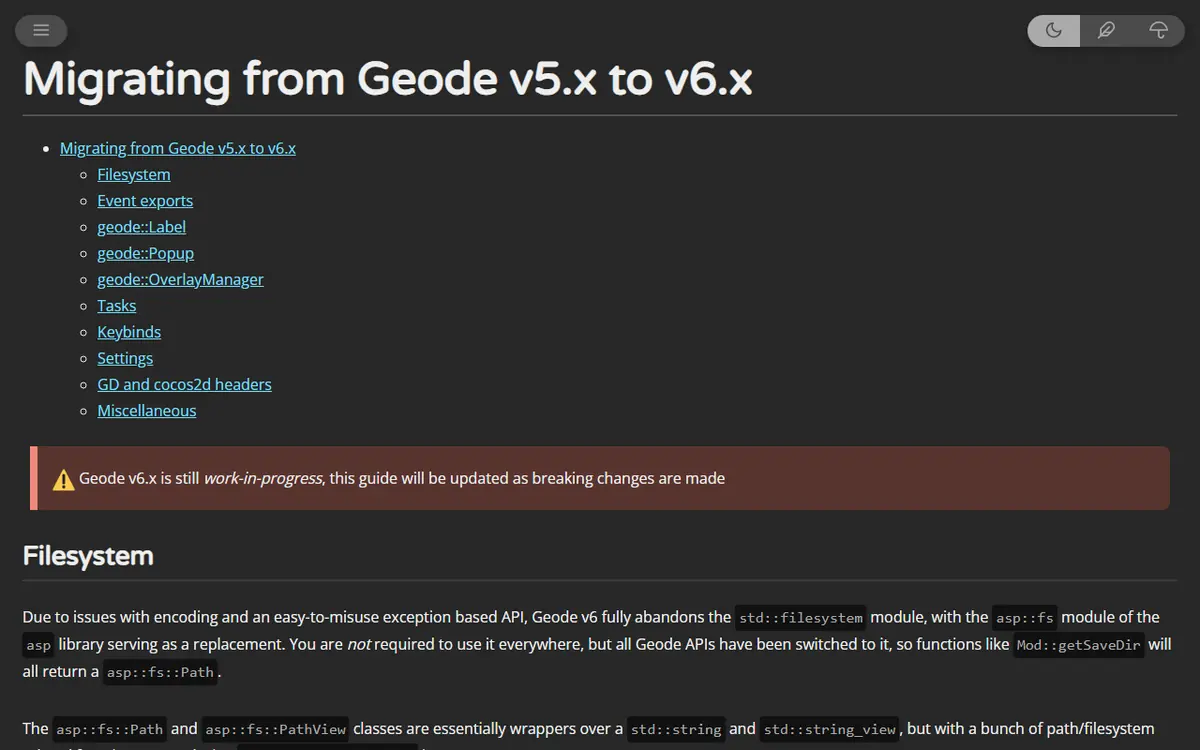
- Developer tools. Big Geode versions can change the SDK. The v6 alpha ships migration docs and requires CLI 4.0.0 or newer.
What Does Not Break
Your save data and your installed mod list. Save files live separately from the geode folder, and the FAQ says you will not need to reinstall mods: they stay unavailable until their developers update them, and you get an in-game notice when they do.
The Release Timeline as a Real Example
The official Geode GitHub releases show how a cycle looks in practice. Stable 5.x releases arrived steadily through 2026 while 2.2081 was current, then the pattern changed when 2.2091 landed.
| Release | Date | Type | What it meant |
|---|---|---|---|
| v5.6.0 | Apr 11, 2026 | Stable | Regular 2.2081-era update |
| v5.8.0 | Jul 10, 2026 | Stable | Regular update, followed by quick fixes v5.8.1 and v5.8.2 |
| v5.10.0 | Aug 28, 2026 | Stable | Regular update, patched by v5.10.1 the next day |
| v5.11.0 | Oct 9, 2026 | Stable | Followed by v5.11.1 on Oct 10 |
| v5.11.2 | Oct 15, 2026 | Stable | Fixes some 2.209 crashes; "still primarily for 2.2081" |
| v6.0.0-alpha.1 | Nov 1, 2026 | Pre-release | 2.209x support, meant for developers |
| nightly | Ongoing | Pre-release | Development builds, not for players |
Two lessons stand out. First, patch releases often follow a big release within a day or two, so waiting a little after any release is sensible. Second, a new game version usually gets a developer pre-release first, giving mod authors time to update before players arrive.
Wait, Uninstall or Try the Alpha?
When an update hits, you have three realistic options. Pick based on who you are, not on impatience.
Option 1: Wait (Most Players)
Keep Geode installed, stay patient and play unmodded or in Safe Mode. Safe Mode loads no mods: on Windows and Mac hold Shift while launching until loading finishes, and on Android press and hold the Launch button in the Geode app.
Waiting does not have to mean wasted time. Play the new update unmodded, practice levels you are working on, sort out your save backups, and plan which mods you actually want back. Many players find that trimming their mod list during a break makes the next setup faster and more stable.
Option 2: Uninstall Temporarily
If Geode crashes the game even in Safe Mode, the install page's advice is to uninstall until compatibility is announced. Your saves are not stored in the Geode folder, and you can reinstall later. Our update, manage and uninstall guide lists the clean removal steps for each platform.
Option 3: Try the Alpha (Developers)
The v6 alpha exists so developers can port their mods. Its release notes say "things will break", and most mods will not have v6 builds yet, so a player gains little. If you develop mods, follow the v6 migration docs; our create your first Geode mod guide covers the toolchain basics.
Your Rollback Plan
A rollback plan is simply a set of habits that lets you return to a working state quickly. Prepare it before the next update, not during it.
Before an Update Arrives
- Back up your save. Save to your Geometry Dash account and keep a local copy of your save files. The save backup and transfer guide shows both methods.
- Write down your mod list. A screenshot of your installed mods page or a simple text list makes rebuilding easy.
- Note your Geode version. Write down which release you installed, for example v5.11.2, so you know which installer to fetch if you need to go back.
- Consider pausing automatic updates on mobile stores if you want to choose when the game updates.
When the Game Has Already Updated
- Check the official install page for the current status.
- Launch in Safe Mode to confirm the game itself runs.
- If it does not, uninstall Geode temporarily.
- Do not reinstall repeatedly; it cannot add compatibility.
- When a stable release appears, install it, update mods, and re-enable them a few at a time.
After the Stable Release Lands
Give it a day or two if you can, since patch releases often follow quickly. Then install the new stable build, open the Geode menu, update the mods that have new versions and leave the rest disabled until their developers catch up. Test a few levels before a long session.
Rolling Back Geode Itself
Every Geode release, including installers for Windows, macOS and Linux and packages for Android and iOS, stays on the official releases page. Installing an older Geode only helps if your game is still on the version it targets. The FAQ notes you can keep playing the previous GD version, but the previous Geode may break at any time.
How Mods Come Back After an Update
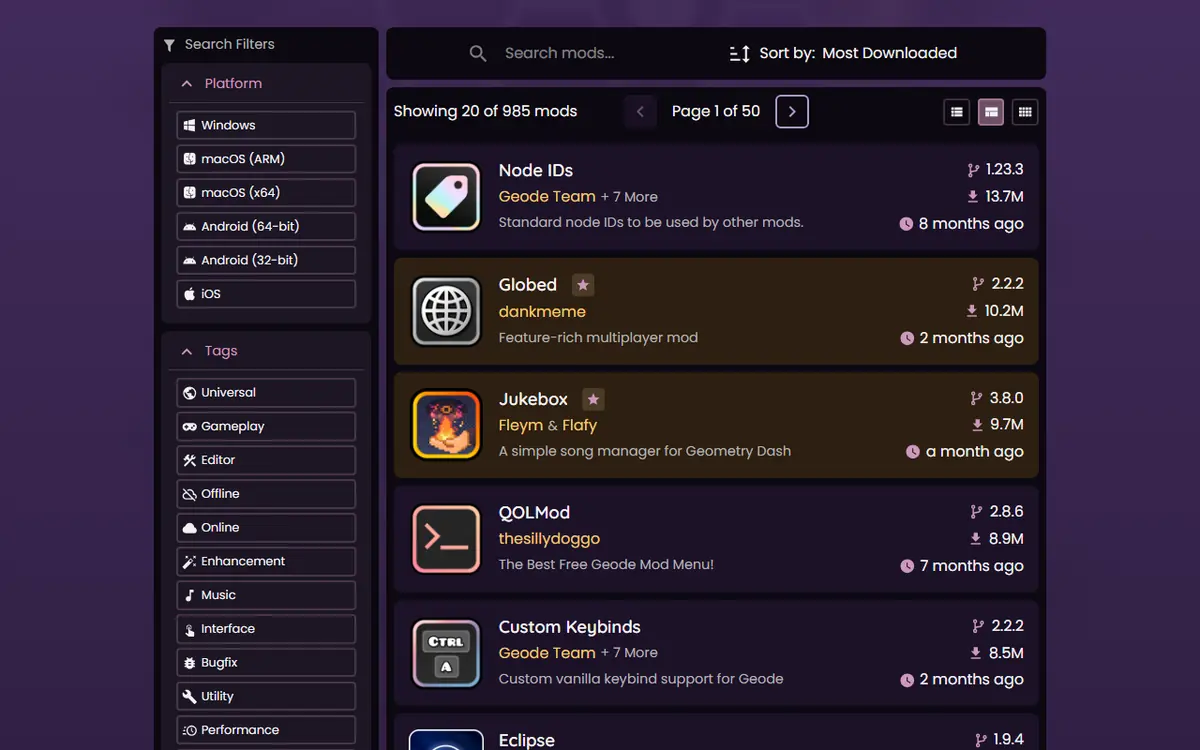
Once a compatible Geode release exists, each mod still has to be rebuilt by its own developer and re-published to the official index. That is why mods return gradually rather than all at once. Popular, actively maintained mods often update quickly; smaller or abandoned mods may never return.
You can watch the progress yourself. Every mod page on the official mods index lists its latest version and which Geometry Dash version that build targets. When we checked on November 5, 2026, the latest versions of the popular mods we track, such as Globed, Jukebox, QOLMod and BetterInfo, all still targeted GD 2.2081. When those pages start listing 2.2091, the mod is ready. Our best Geode mods by version list tracks this for the most-downloaded mods.
Inside the game you do not need to check manually: the official FAQ says Geode notifies you when an installed mod has an update available.
Mistakes That Make Update Week Worse
- Reinstalling in a loop. If the loader does not support your game version, a fresh copy of the same loader behaves identically.
- Deleting the geode folder in a panic. It holds your mods and their settings. Uninstalling or Safe Mode is enough; deleting only adds rebuild work later.
- Installing the alpha "just to see". Without v6 builds of your mods, the alpha gives you little, and its own notes warn that things will break.
- Mixing files from different releases. Copying parts of one release over another creates hard-to-diagnose crashes. Always use a complete installer.
- Skipping the backup. Update weeks involve more uninstalling and reinstalling than usual, which is exactly when a backup matters most.
- Trusting countdowns and rumors. Only the official site, FAQ and GitHub releases tell you when support is ready.
Platform Notes
- Windows and macOS (Steam): new installers appear on the install page; run the matching one into the same game folder.
- Android: keep the launcher updated. It checks for updates before launching the game.
- iOS: support is experimental and depends on the launcher; follow its releases page and INSTALL guide.
- Linux: keep the
WINEDLLOVERRIDES="xinput1_4=n,b" %command%launch option the FAQ recommends after reinstalling.
Troubleshooting During an Update Cycle
If Safe Mode works but the normal launch crashes, a mod is the cause; disable recently updated mods first. If even Safe Mode fails, the loader itself does not match your game version. If the Geode button is missing on Windows after reinstalling, your antivirus may have quarantined a file. Our Geode not working fixes cover crash logs and the half-and-half test in detail.
Staying Safe When Everyone Is Impatient
Update weeks are when fake "fixed Geode" downloads appear in video descriptions and comment sections. The real fix only ever comes from geode-sdk.org, the official Geode GitHub organization and, for mods, the in-game browser or the official mods index. Never disable your antivirus for an unknown file, and never give your account password to anything that promises an early update.
Frequently Asked Questions
Why does every Geometry Dash update break Geode?
Geode and its mods hook into specific parts of the game's compiled code. When RobTop ships an update, that code changes, so Geode must be rebuilt for it. The official FAQ says this will keep happening unless RobTop officially supports modding.
Should I install the Geode v6 alpha for GD 2.2091?
Only if you are a mod developer or comfortable with things breaking. The release itself says it is an alpha meant for developers. Most players should wait for a stable v6 release and for their mods to update.
Do I lose my mods when Geode breaks?
No. According to the official FAQ you do not need to reinstall mods. They stay unavailable until their developers update them, and Geode shows an in-game notice when updates arrive.
Can I keep playing the older Geometry Dash version?
The FAQ says yes, at least until Geode is updated, but warns that the previous Geode version may break at any time. On a store platform you can only stay on an older version if you have not updated yet.
How long does Geode take to support a new GD update?
There is no fixed timeline. For 2.2091, the developer alpha arrived on November 1, 2026, and the stable release was still pending when we checked on November 5, 2026. Follow the official announcements.
Where can I download an older Geode version?
Every release, with installers for each platform, is kept on the official Geode GitHub releases page. Older builds only make sense if your game is still on the version they target.
