
Geode Geometry Dash modding is one of the biggest parts of the game's community, and with that growth comes a fair question: is it safe? Parents ask it, new players ask it, and long-time fans ask it after seeing a suspicious download page. The honest answer is that Geode itself is a legitimate, open-source project, but how safe your experience is depends on where you download it and how you use mods.
This guide covers what makes Geode trustworthy, which sources are official, how fake APKs and mirrors work, the leaderboard ban risk from cheat-style features, account security, how mods reach the official index, and how to protect your save. We are an unofficial guide and not affiliated with the Geode team or RobTop Games.
Version Note: Stay Safe During the 2.2091 Gap
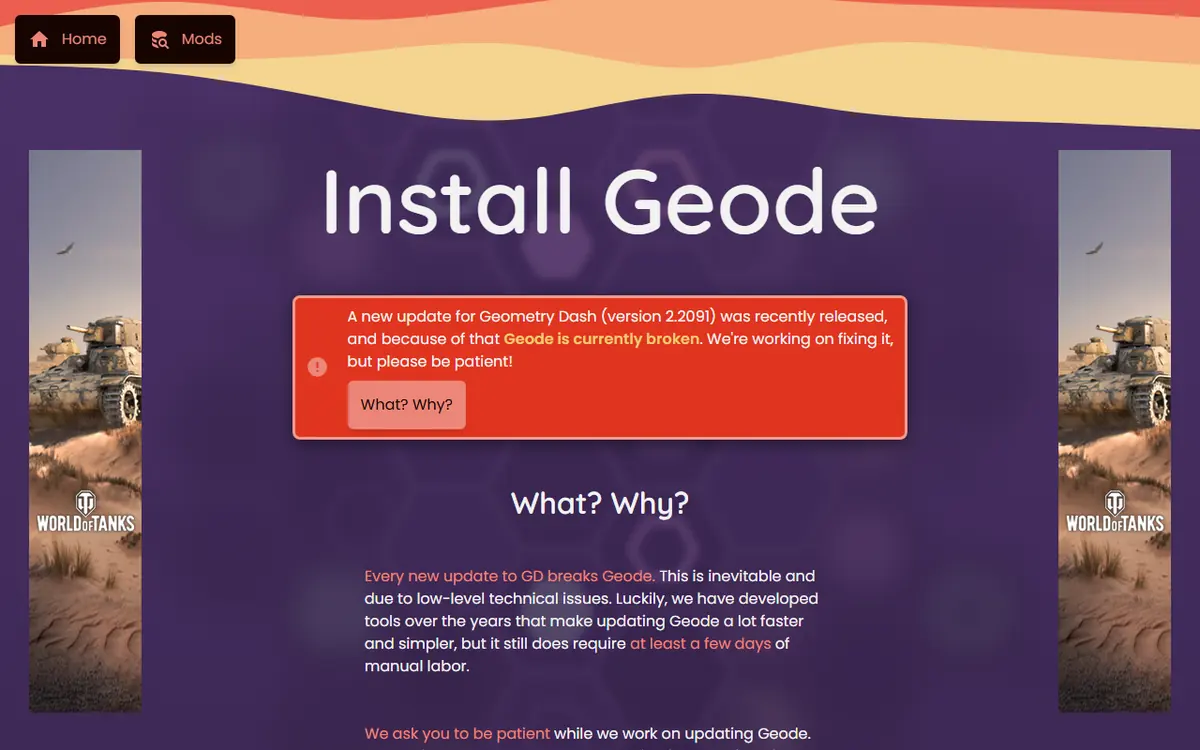
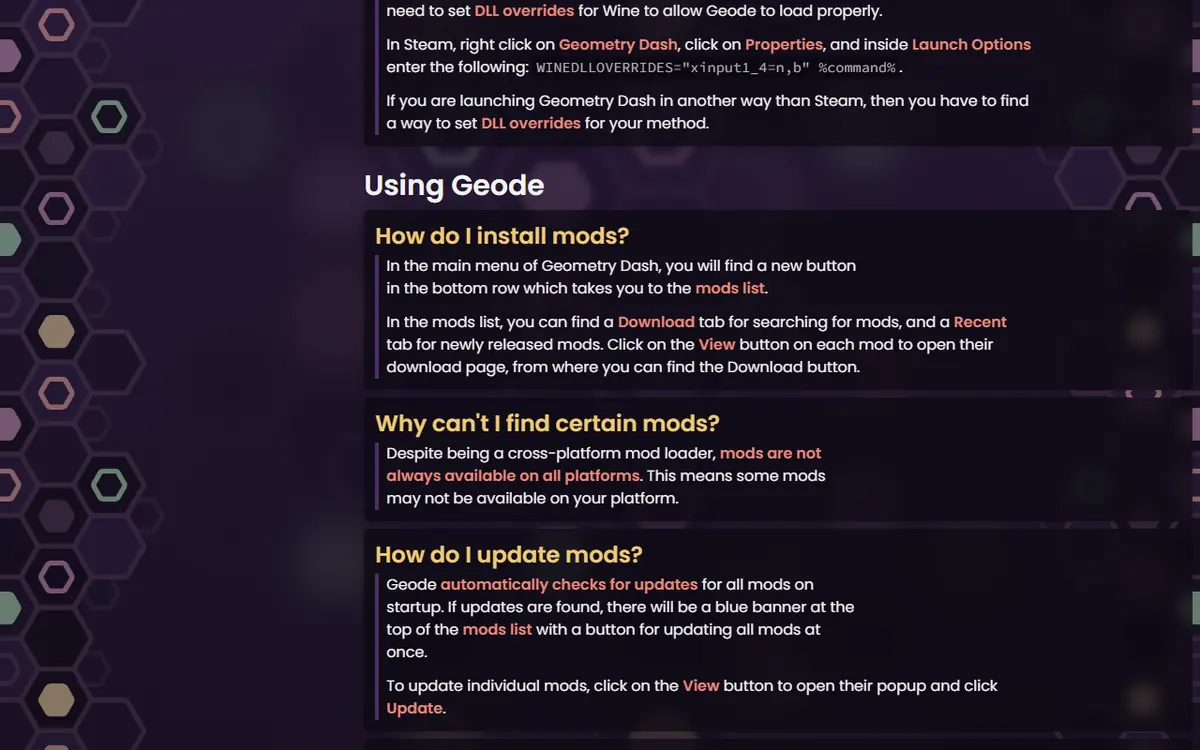
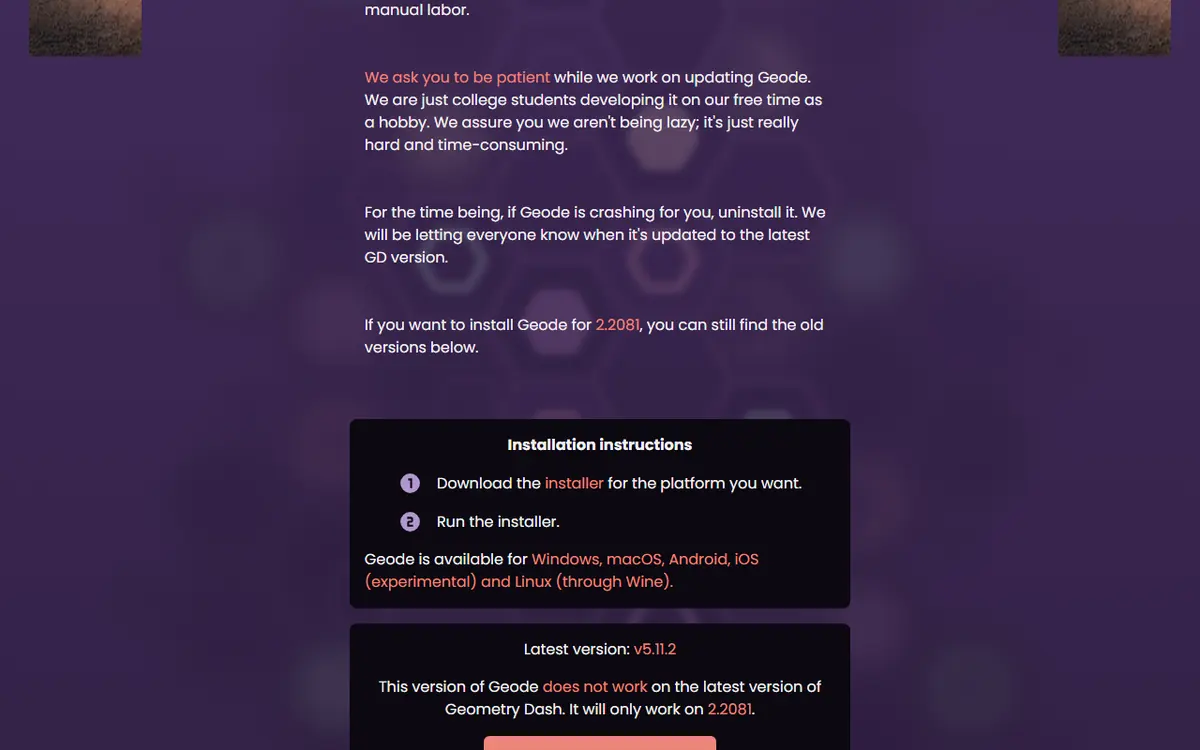
As of November 5, 2026, the official install page says Geode is broken after the Geometry Dash 2.2091 update, and that the latest stable release, v5.11.2, only works on GD 2.2081. Support for 2.2091 exists only in v6.0.0-alpha.1 (November 1, 2026), an alpha the Geode team says is "meant for developers". Gaps like this are when scam pages appear, promising a "fixed" or "2.2091 Geode" download. There is no such shortcut. Wait for an official release and follow geode-sdk.org/install.
Is Geode Legitimate?
Geode is a fan-made, open-source mod loader and modding SDK. Its official site describes it as the most popular mod loader for Geometry Dash, and it supports Windows, macOS, Android and iOS, with Linux through Wine. The official FAQ is clear that Geode is fan-made and not affiliated with or endorsed by RobTop Games.
Why open source helps
Before Geode, many mods were raw DLL files injected into the game, and two mods touching the same function could crash each other. Geode gives every mod a shared framework to hook through. Because its code is public on GitHub, anyone can read it, report problems and follow changes over time. Open source is not a guarantee against every bug, but it removes the mystery around closed, anonymous tools.
Official Download Sources
The biggest safety decision you make is where you get Geode. A safe Geode Geometry Dash download comes from the official install page or the official geode-sdk GitHub organization. Mods should come from the in-game Geode menu or the official mods index.
| Platform | Official method | Safe source | Red flag |
|---|---|---|---|
| Windows | Geode installer (.exe) | geode-sdk.org/install or GitHub release assets | Installer from a video description or file host |
| macOS | Geode installer (.pkg) | geode-sdk.org/install | "Cracked" Mac bundles with GD included |
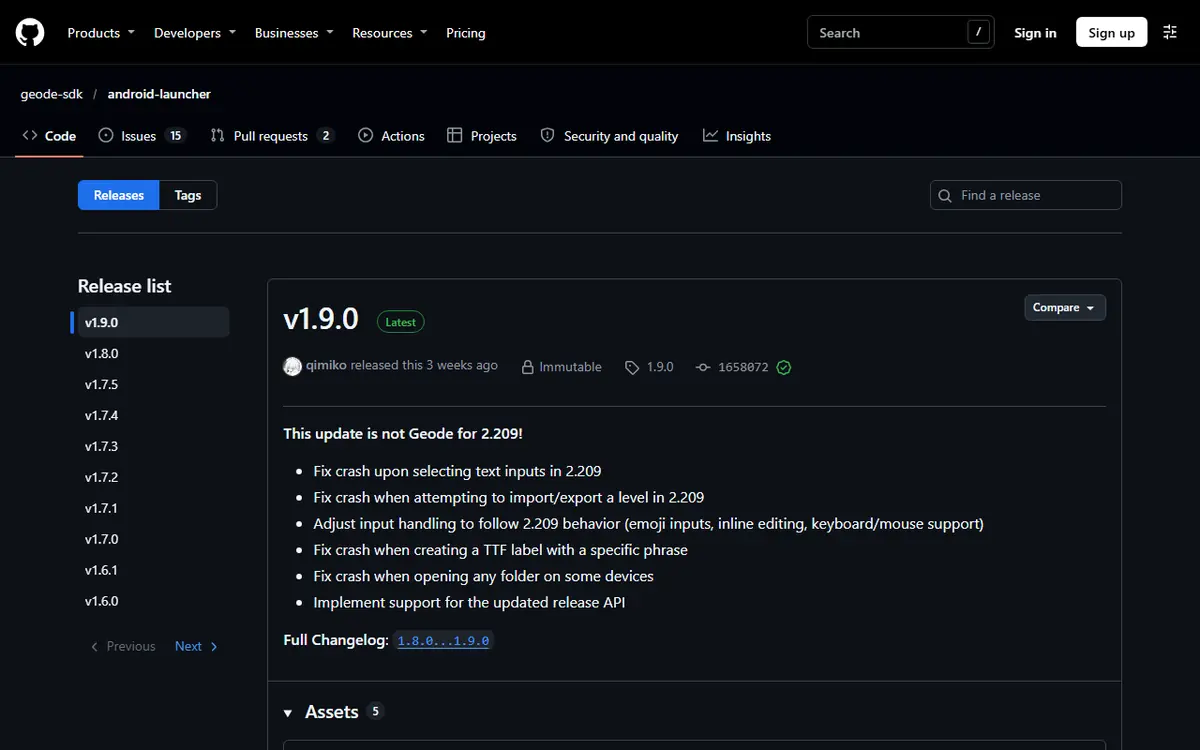
| Android | Geode launcher APK (v1.9.0 on the install page) | geode-sdk/android-launcher | "Geode APK" sites asking for many permissions |
| iOS / iPadOS 14+ | Geode iOS launcher (.ipa or .tipa) | geode-sdk/ios-launcher INSTALL.md | Paid "signing services" you cannot verify |
| Linux | Windows installer through Wine | geode-sdk.org/install and the official FAQ | Unofficial Linux "ports" |
| Mods | In-game Geode menu | geode-sdk.org/mods | Random .geode files from chats or mirrors |
The source code ZIP is not a download option
GitHub automatically offers a "Source code" ZIP for every repository. It is uncompiled code, not an installer. A page telling you to "install Geode" from that ZIP is giving bad advice. Our Geode GitHub guide shows which release files are the real installers.
Fake APKs, Mirrors and Cracked Bundles
Most of the danger around Geode comes from imitators, not from the project. Common patterns:
- "Geode APK" pages unrelated to the official project, stuffed with ads and fake download buttons.
- Mirror repositories that copy Geode's name but are owned by someone other than geode-sdk.
- Bundles that pair a cracked Geometry Dash with Geode and a pile of pre-installed mods.
- Promises the real project does not make, such as Geometry Dash Lite support or "everything unlocked".
- Instructions to disable your antivirus or to type in your Geometry Dash password.
A fake package can contain malware, adware or account stealers. On Android, a malicious APK can request far broader permissions than the official launcher needs. Cracked game bundles also break with updates and leave you with no clean way back. The official Android path is covered in our Android launcher setup guide.
Leaderboard Ban Risk From Cheat Features
Installing Geode is not the issue. The risk comes from how certain features are used. Several popular mod menus in the official index carry the cheat tag, including QOLMod, Eclipse, Prism Menu and Mega Hack Installer. They offer options such as noclip or speedhack that are useful for practising a hard section. Using them on rated or leaderboard completions can get a player leaderboard-banned.
| Feature type | Examples from the index | Risk if misused |
|---|---|---|
| Cheat-style menus | QOLMod, Eclipse, Prism Menu, Mega Hack Installer (paid) | High for rated or leaderboard runs |
| Practice helpers | Startpos Switcher, Death Tracker | Low when used for practice |
| Information | BetterInfo, Level Info | Low |
| Editor tools | BetterEdit | Low |
| Visual and audio | Texture Loader, Jukebox | Low |
How to stay on the right side
- Turn cheat features off before any attempt you plan to submit or show as legitimate.
- Double-check menu settings after updates, since options can reset.
- For drilling sections, prefer honest practice tools like Startpos Switcher.
Our best Geode mods guide labels which popular mods are practice tools and which are cheat menus.
Keeping Your Account Secure
Geode never needs your Geometry Dash login. If a tool, site or "setup step" asks for your password, stop: that is a phishing attempt. Online mods like Globed are a normal part of modding, but install them only from the official index and treat unknown links in chats with caution. If you think your account is at risk, change your password from inside the game, remove anything from unofficial sources, scan your device and reinstall Geode cleanly.
How Mods Reach the Official Index
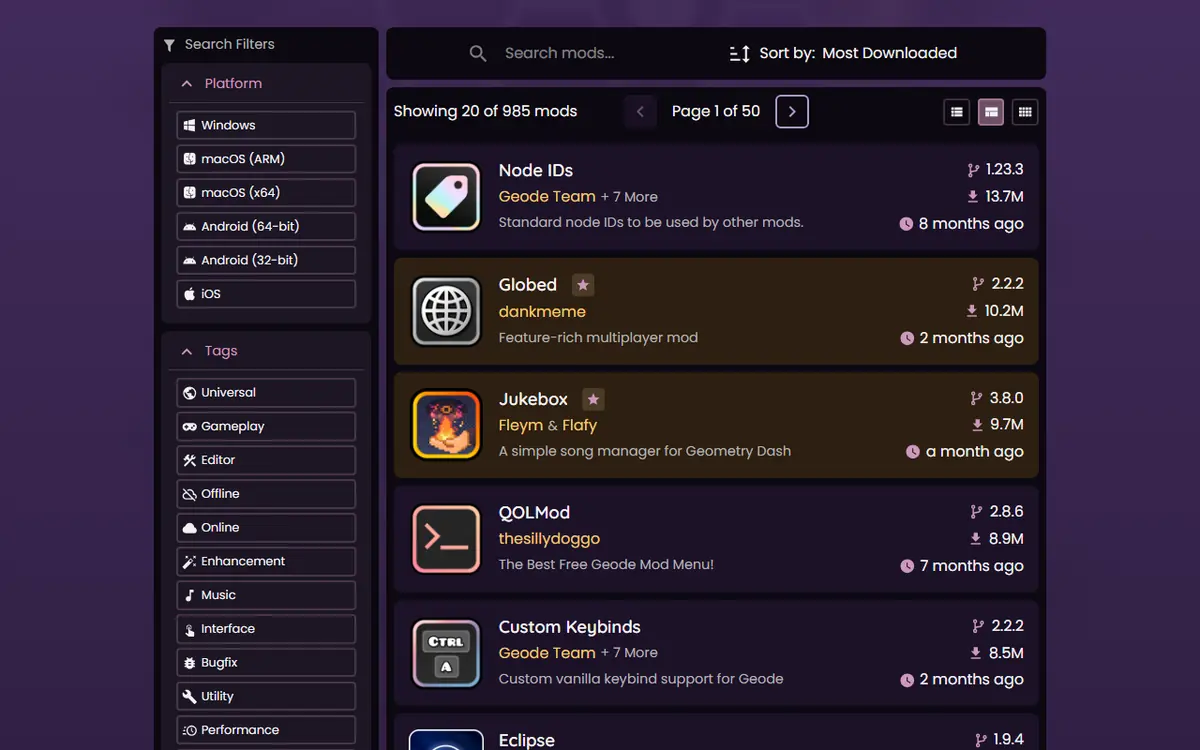
After installation, a Geode button appears in the bottom row of the main menu. It opens the Geode menu, which reads the same catalogue as geode-sdk.org/mods (985 mods on November 5, 2026). Each mod version in the index API carries a review status, such as "accepted". No review process catches everything, but it is a far better filter than random files.
Signs of a trustworthy mod
- It is listed in the in-game browser or the official index.
- Its description clearly explains what it changes.
- It declares dependencies, such as Node IDs, so Geode can load them in order.
- It can be disabled from the Geode menu and has its own settings page.
The official FAQ also notes that Geode is free but some individual mods may be paid, and that mods are not always available on every platform. Mega Hack Installer, for example, lists Windows and Android only.
A Five-Minute Safety Checklist Before You Install
Most problems can be avoided with a short routine. Run through it every time you install Geode on a new device, and again whenever a big Geometry Dash update lands.
- Check the address bar. The installer page should be geode-sdk.org, and GitHub pages should belong to the geode-sdk owner. A look-alike domain or a URL shortener is a reason to stop.
- Read the status first. The install page shows which Geometry Dash version the current Geode release supports. If your game is newer, the right move is to wait, not to hunt for an unofficial "fixed" build.
- Own the full game. Every official method expects a legitimate copy of the full Geometry Dash. Geometry Dash Lite is not supported, and any page offering Geode for Lite is not official.
- Back up your progress. Save to your account in-game and keep a local copy of your save files.
- Start small. Install two or three mods from the in-game browser, restart, and confirm everything works before adding more. Fewer mods means fewer things that can break after the next update.
- Keep cheat options off by default. If you install a mod menu, review its settings once and switch off anything that changes gameplay before playing normally.
This routine takes a few minutes and covers the download, account, ban and save risks discussed above. If something on a download page feels off, trust that feeling and return to the official route.
Platform Notes
- Windows: SmartScreen or antivirus may warn about the installer. Allow it only if it came from the official source.
- Android: grant "install unknown apps" only to the browser you used for the official APK, then turn it off again.
- iOS: the launcher's INSTALL.md warns that free certificates are unreliable and violate Apple's terms; SideStore apps expire after 7 days unless refreshed.
- Linux: follow the Wine steps in the official FAQ rather than unofficial scripts.
Troubleshooting Safety Warnings
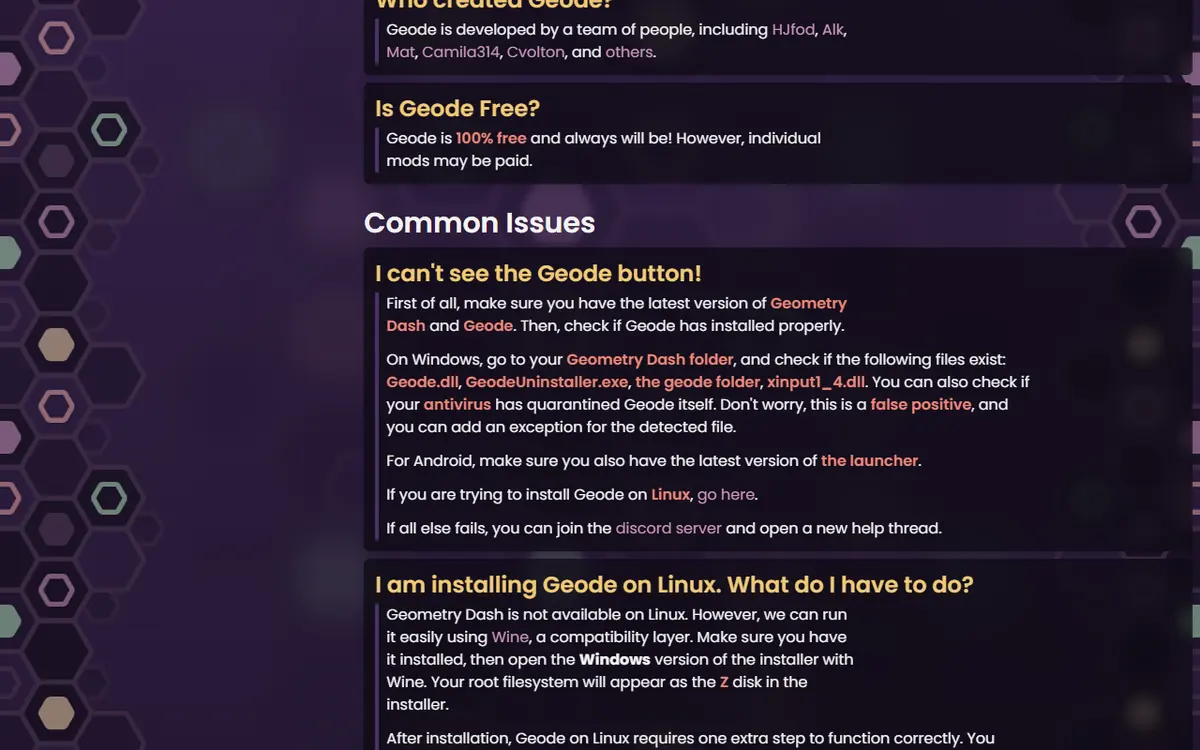
- The Geode button disappeared on Windows: the official FAQ says antivirus may have quarantined a file as a false positive. Restore it and add an exception, but only for files from the official source.
- The game crashes after installing a mod: hold Shift while launching on Windows or Mac to start in Safe Mode, which loads no mods, then remove the culprit. On Android, press and hold the Launch button in the Geode app.
- A download asks for payment for Geode itself: close it. Geode is free.
More fixes live in our Geode not working guide.
Protecting Your Save Data
Mods live in the geode/mods folder, separate from your save. Even so, before installing, updating or removing Geode, save your progress to your Geometry Dash account from inside the game and keep a local backup. The official FAQ says you do not need to reinstall mods after a game update; they stay unavailable until their developers update them. A full walkthrough is in our save backup and transfer guide.
To return to a clean game, use the installer's uninstall option. Steam users can also remove the Geode files and run "Verify integrity of game files". With those habits, Geode Geometry Dash modding stays safe: official sources, no password sharing, cheat features kept in practice, and backups before big changes.
Frequently Asked Questions
Is Geode a virus?
No. Geode is an open-source mod loader published by the geode-sdk project. The real risk comes from fake downloads that borrow its name, so get it only from geode-sdk.org/install or the geode-sdk GitHub organization.
Can I get banned just for installing Geode?
The known risk comes from using cheat-style features, such as noclip or speedhack, on rated or leaderboard completions. Installing Geode itself is not the problem. Keep cheat features for practice only.
Is the Geode Android APK safe?
The official Geode Android launcher APK, linked from geode-sdk.org/install and published on github.com/geode-sdk/android-launcher, is the legitimate option. Random “Geode APK” sites are not, and they can carry malware or ask for excessive permissions.
Does Geode need my Geometry Dash password?
No. Geode never asks for your password to install or to download mods. Treat any page, tool or video that asks for it during setup as a scam.
Why does my antivirus flag Geode?
The official FAQ says antivirus software can quarantine a Geode file as a false positive, which also makes the Geode button disappear. If your file came from the official source, add an exception; if not, delete it.
Are paid Geode mods safe?
Geode itself is free, but the official FAQ notes some mods may be paid. In the index, Mega Hack Installer carries the paid tag. Buy only through the creator's official channels linked from the mods index.
